16
CAUTION!
The sharp blades may continue to rotate for a few seconds
after switching off the machine.
The collection box may fill unevenly. Do not allow the shredded
material to accumulate near the ejection area.
• Switch the shredder off.
• Release the collection box by disengaging the safety switch and
rotating to the ‘OFF’ position.
• Remove the collection box from the chassis and empty it.
• Make sure that the area around the safety switch is free of dust and
wood chippings before you re-fit the collection box.
• Re-fit the collection box into the chassis and engage the safety switch
by rotating to the ‘ON’ position.
1
2
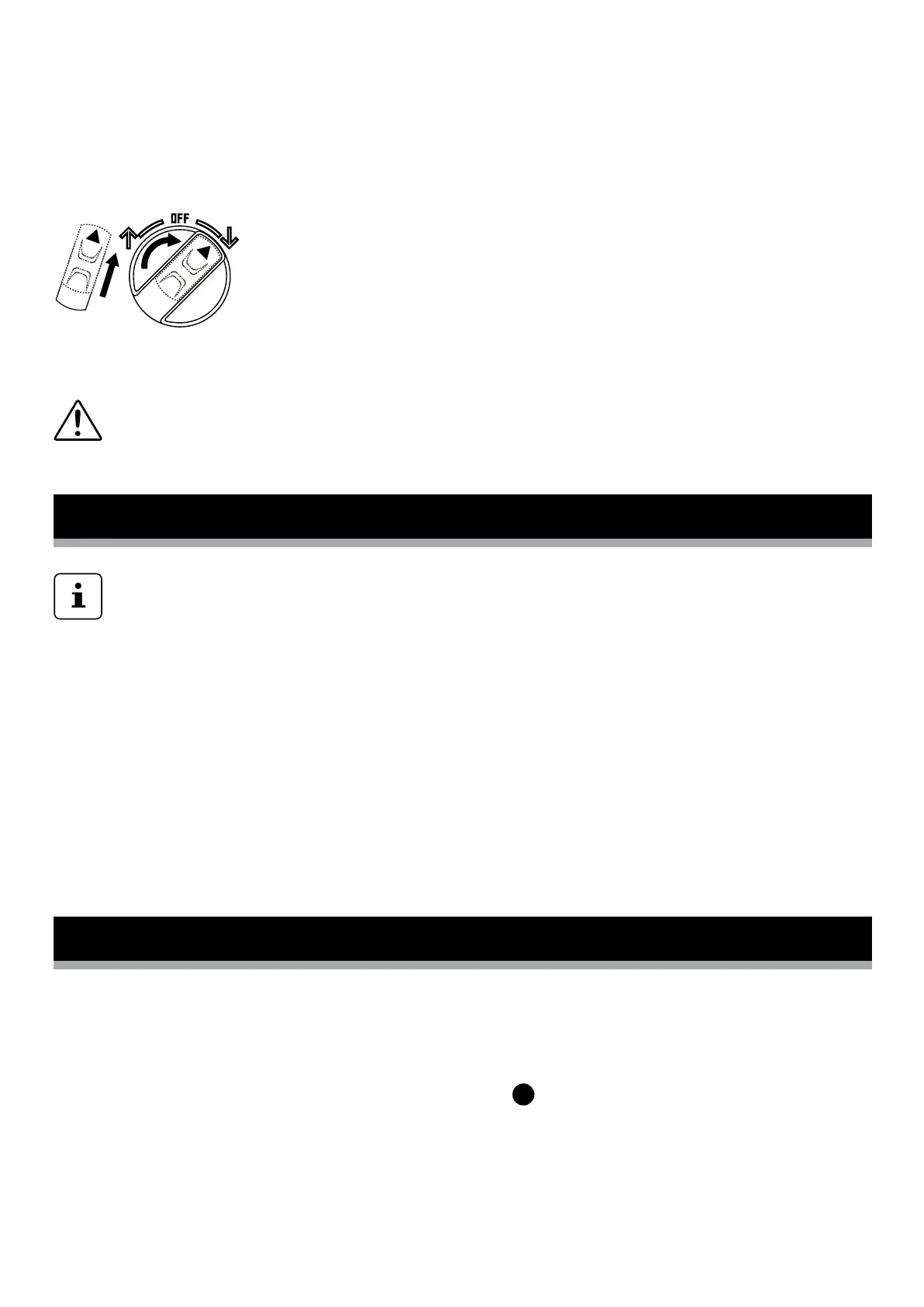
To switch on: Engage the safety lock in the centre of
the operation selection switch by pushing forwards.
Once engaged, turn the operation switch clockwise
into the ‘ON’ position.
To switch off: Turn the operating selection switch
counter-clockwise to a central position.
In the event of the machine being overloaded, e.g. due to branches that
are too thick, the shredder may switch off automatically. To switch the
machine back on, turn the operating mode selection switch to the central
‘OFF’ position and press the reset switch .
Engage the safety lock in the centre of the operation selection switch by
pushing forwards. Once engaged, turn the operation switch clockwise
back into the ‘ON’ position.
7
Emptying the collection box
Overload protection
Make sure that the hopper funnel is empty before starting.
The collection box must be fitted and the safety switch on the
collection box must be firmly engaged in the ‘ON’ position (up) or the
motor will not start.


 To Next Page