26
USB- A PORT
The USB-A port is on the top cover of the battery pack. Connect
your electric device to the USB-A port on the battery pack using
the USB-A cable. Push the button to start charging.
To obtain the best life from the battery
1. Never allow the battery to completely discharge before
recharging. The battery pack should be placed on the charger
whenever the battery pack is noticeably running down or the
lawn mower no longer performs a task it previously performed.
2. Avoid conducting short charges. Make sure that the battery is
fully charged each time by allowing the charger to complete its
full charging cycle.
3. Avoid allowing loose items like screws or nails, etc. to be stored
with battery packs, as these or similar items can short battery
packs and cause a fire or explosion.
4. Always unplug the charger when not in use and store in a dry
and secure place.
5. Avoid charging or storing your battery in temperatures below
5°C and above 45°C.
6. After use, allow the battery pack to cool down for
approximately 30 minutes before attempting to recharge.
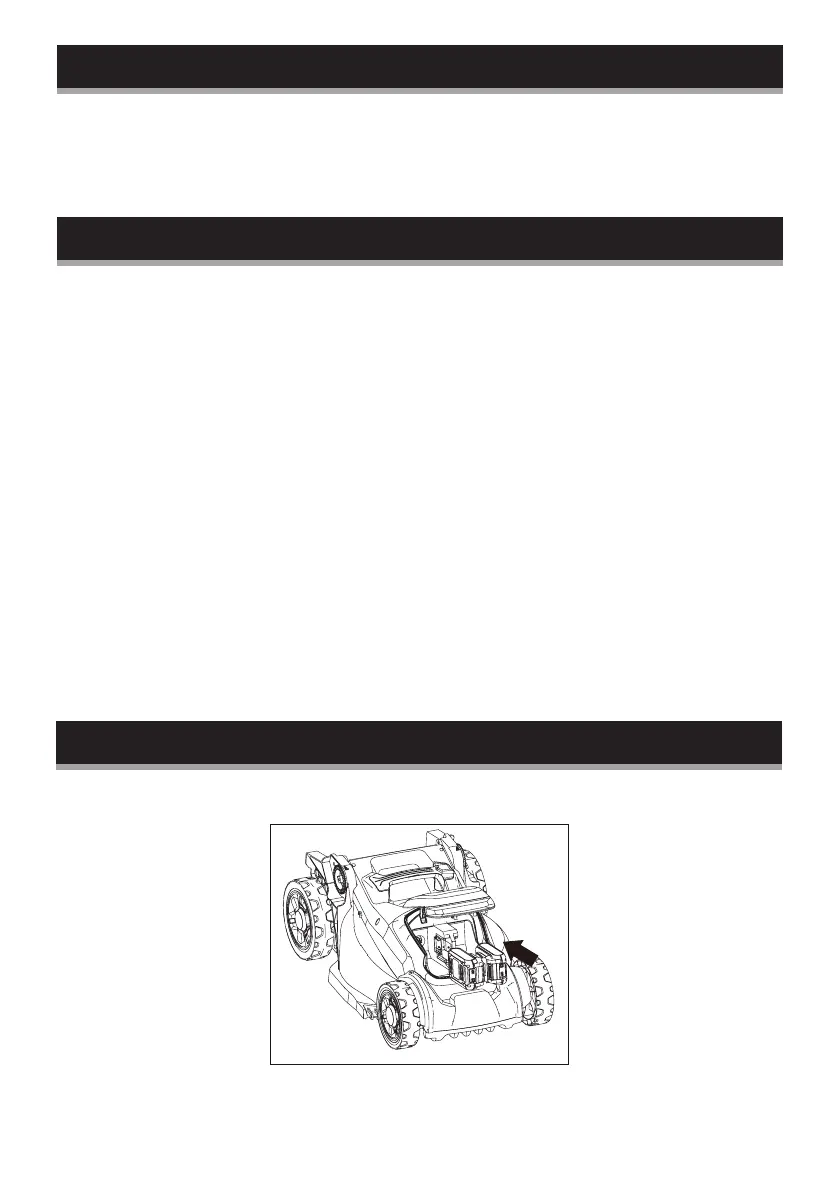
Removing and inserting the battery pack
Insert the battery pack


 To Next Page