Using The PowerBlock
10
9.1
25 35 40
18.1
45
lbs.
kgs.
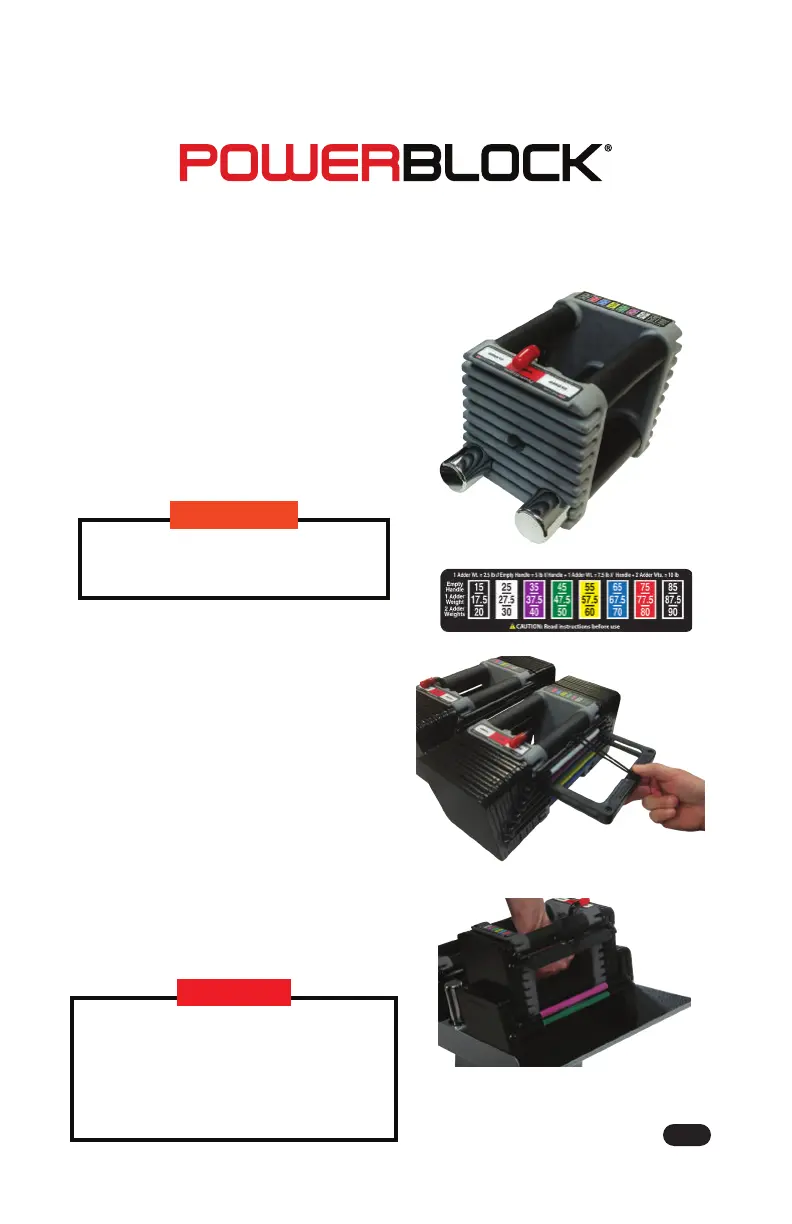
1. Set the handle weight by either
having the handle empty (5 lbs) or
1 adder weight in the handle (7.5 lbs)
or 2 adder weights in the handle
(10 lbs). Use the Open/Close lever to
open the handle to take adder
weights out or put them in.
2. Refer to color coded weight chart
to select desired weight.
3. Use the Selector Pin To choose/add
weight plates from the weight stack,
insert the selector pin at the colored
side rail of the weight desired.
4. Lift weight from center handle as
shown in image at right.
Be sure to always put dial lock
into closed position before using.
Lift from handle only. Lifting from
any other part of the PowerBlock
may result in falling weights and/or
injury. Banging PowerBlock
dumbbells could dislodge pins and
result in falling weights or injury.
WARNING
DANGER
WORLD’S BEST DUMBBELL
7



 To Next Page