
 Need help?
Do you have a question about the PowerBox Systems GPS III and is the answer not in the manual?
Connect GPS III to receiver's P2BUS input for automatic detection.
Connect GPS III to GPS or MISC input for automatic detection and gyro speed compensation.
Connect GPS III to receiver's Telemetry input for Jeti EX-BUS protocol.
Plug GPS III into receiver's S.BUS2 socket; can use Y-lead for multiple sensors.
Systems detected automatically; alarm settings adjustable via USB or BlueCom Adapter.
Ensure GPS III is not too close to other cables or shielding materials for optimal reception.
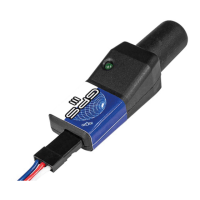
Describes different LED states indicating GPS status and satellite acquisition.
LED flashes double, indicating sufficient satellites for speed detection.
LED glows continuously, indicating sufficient satellites for position detection.
LED flashes rapidly, indicating no bus system detected within five seconds.
Lists maximum speeds, operating voltage, current drain, weight, and dimensions.
Details the items included in the package, such as GPS II unit and patch-lead.
Recommends using the support forum for queries before contacting support.
Outlines the 24-month guarantee, coverage, and exclusions for product faults.
 General
| Weight | 0.5 kg |
|---|---|
| Dimensions | 120 x 80 x 40 mm |
| Category | Measuring Instruments |
| Accuracy | 2.5m |
| Channels | 72 |
| Interface | Serial |
| GPS Type | U-Blox |

 To Next Page