3. Presentation
__________________________________________________________
____
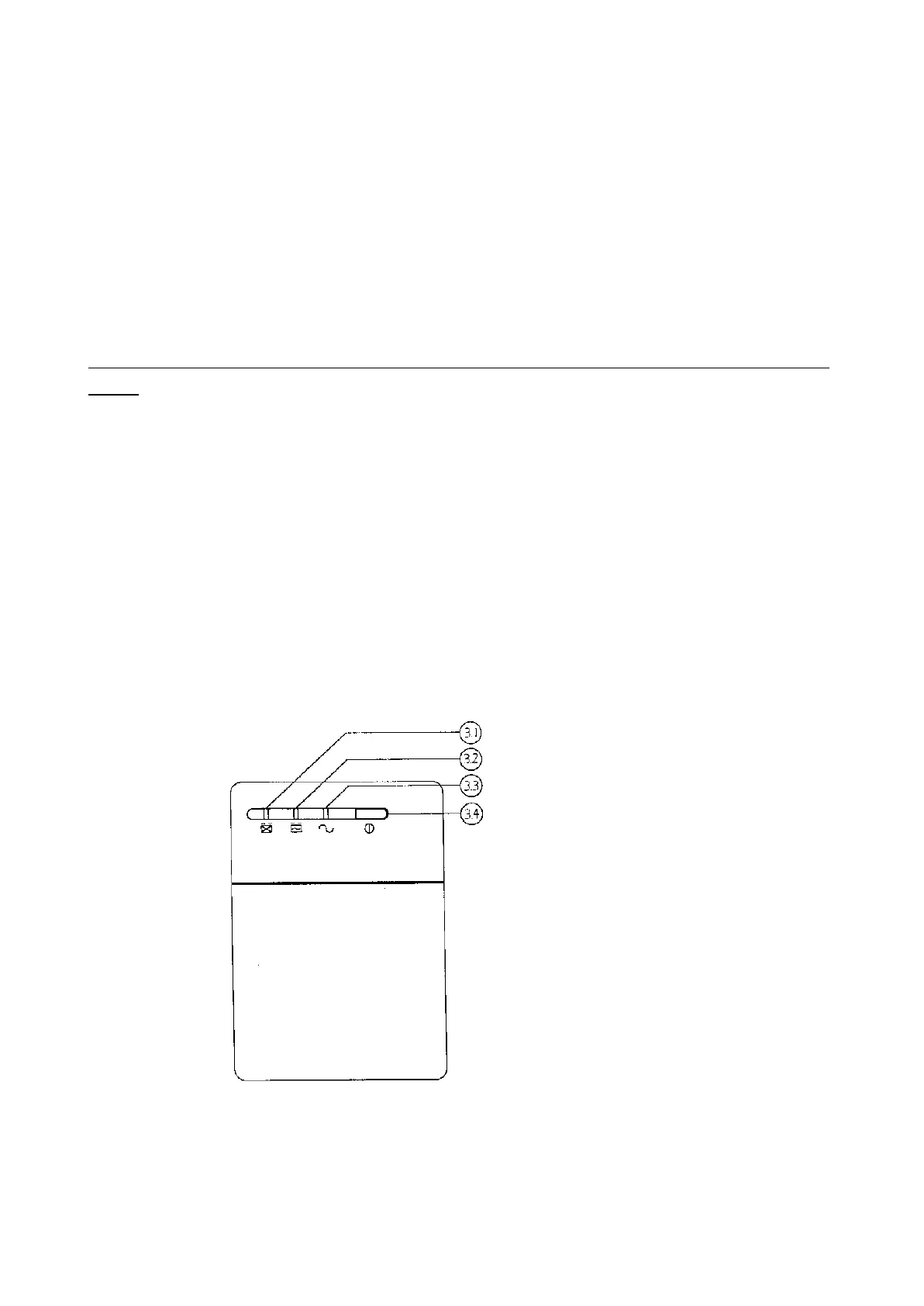
FRONT PANEL
3.1 "REPLACE BATTERY" indicator (RED LED)
The LED illuminates when the UPS's battery is no longer useful and must be
replaced.
Note: When replace battery, disconnect the utility power then open the
case and take notice of the battery's polarity while install the new battery
to avoid short.
3.2 "BACK UP" indicator (YELLOW LED)
The LED illuminates when the UPS is supplying battery power to the loads.
3.3 "LINE NORMAL" indicator (GREEN LED)
The LED illuminates when the line input voltage is normal.
3.4 "ON/OFF/TEST/SILENCE" button
Press the button more than 3 seconds to turn the UPS on or off, press the
button less than 1 second to activate the UPS's self-testing or silence the
back up alarm.



 To Next Page