14
DeviceDeactivation
PowerDot can be de activated and reset back to its factory st ate either programmatically or manually.
Formanualdeactivation,makesuredeviceisONandnotinstimulation,thenholdMulti‐FunctionTactile
Buttonfor10secondstillyouseePower/StimulationLEDblinkingBLUE3times.
Programmaticdeactivationcanbedonefrom
DeviceSetupmenu.JustuseDeactivatebuttonnexttothe
relevantdevice,butthedeviceshouldbepoweredONbeforeitcanbedeactivated.
Pre‐StimulationAssembly&PlacingOnaBody
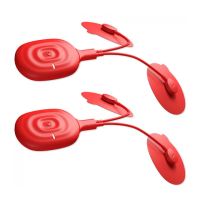
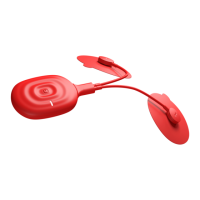
BeforeplacingPowerDotonabody,it’salwayseasiertopre‐assemblePowe rDot:
1) Snapping on your PowerDot unit to your currently used rectangular pad (while pad is staying
attachedtoitsstorage/carryingpieceoffilm).
2) PluggingselectedrelevantleadintoPowerDotmicro‐USBsocket;
WARNING! ALWAYSvisuallyinspectleadsand PowerDotunits for anydamageBEFOREevery
stimulation session. Do not use damaged accessories or units, consider replacing them
immediately.
3) Snappingonroundpadstoyourlead(whilepadsarestayingattachedtotheirstorage/carrying
film). Alternatively, you can place round pads on body first and snap lead snap connectors to
themwhilethey’reonthebody.
4) Unstickbothroundpadsfromtheirsafetyfilmsandplacethemonyourbodyinaccordanceyour
mobileapplicationpadsplacementrecommendation.
5) Unstickrectangularpadfromitssafetyfilmand attachittotherelevantpositiononyourbody
(inaccordancewithyourmobileapplicationpadsplacementrecommendation).


 To Next Page