16
StartingStimulationSession
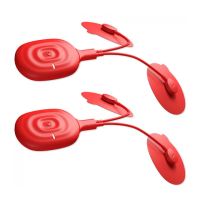
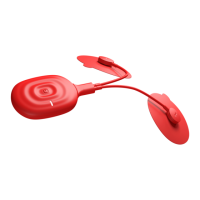
Make sure your PowerDot unit is well charged, leads are connected and pads are attached to the
targetedmusclegroupsinlinewiththein‐appPadPlacementinstructions.
Once you Turn ON your device, Mobile Application will automatically check remaining battery charge
andleadcableconnectivityforyourPowerDotand
willletyouknowif thereareproblemsdetected.
Ifeverythingisinorder,itwillaskyoutoconfirmthatyou’rereadyto startyou stimulation sessionby
holding Multi‐Function button on your device (or each of the devices in Duo stimulation mode) for
aroundhalfasecond.
Once you confirm that you are ready to go, your will see the Stimulation Session screen and ticking
sessiontimerisagoodconfirmationthatyourstimulationsessionhavejuststarted.
ControllingStimulationSession
MuscleStimulationsessionisinitiatedandcanbecontrolledfromtheStimulationSessionscreen:
Intensity Adjustment controls – Intensity Increase (1) and Intensity Decrease (2) are used to adjust
stimulationintensityonacurrentlyselected(visibletoyou)device.
DeviceLock(3)andChannelLockcontrols(4)allowyoutocontrol
stimulationintensitiesinsynchronized
mannerbetween2PowerDotdevicesand/orbetween2stimulationchannelsonthesamedevice.
When Channel Lock is active (4), stimulation intensity adjustments will be affecting both stimulation
channels simultaneously. When Channel Lock is in inactive state, you get an opportunity to fine tune
intensities for
each of the stimulation channels independently. For most of the users and use cases, it
won’tbeeverneeded,however,it’salwaysgoodtohaveafinetuningoption,isn’tit?
When two PowerDot devices are used simult aneously, user can switch between devices and, when
DeviceLock(3)controlisinactive,
doindependentintensityadjustmentsonthecurrentlyselecteddevice.
In general, you would only require different intensity settings for your left and right P owerDots only if
you have sign ificant differences in your sensitivity to stimulation or major differences in the muscle
developmentbetweenleftandrightsidesofyourbody
(whichisalsonotacaseforthemajority).Forthe
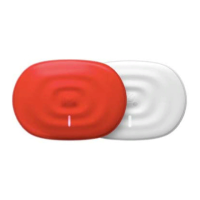
simplicity purposes, we advise you to memorize which PowerDot colors youuse on which side andjust
followthesamepatternwhenmakingdevicecolorspecificadjustmentstotheintensities.
Main Timer slider (5) can be used to Pause, Resume
or Stop st imulation session or to Skip current
stimulationphase(e.g.WarmUp).JustslideMainTimercontroltoleftorrightofthescreeninorderto
selectyourrequiredoption.
WARNING! Always use your own feelings as guidance when you increase intensities during
stimulation.Alt hough,forsomeoftheprogramsweadvisetorunstimulationsatmaximumintensities
youcantolerate,If,to somereason,youexperiencemajor discomfortorpain–considerPAUSINGyour


 To Next Page
 Loading...