24
25
BASIC
TROUBLESHOOTING
DEVICE DOESN’T TURN ON
PowerDot PD-01M is probably very low
on battery. Charge your PowerDot.
DURING PRE-STIMULATION SET
UP, POWERDOT(S) CANNOT
BE FOUND (OR ARE NOT
CONNECTED)
Check out My Devices screen and make
sure that PowerDot device you’re trying
to use is activated.
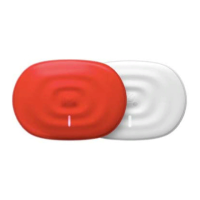
Make sure your PowerDot is turned on
(the white light is on in the device). If
the device is charged and activated,
but still doens’t connect: in the case of
some Android phones, there may be an
issue with the Bluetooth stack. Quit your
PowerDot Mobile Application through
the Task Manager, restart Bluetooth (via
your mobile phone’s Settings menu) and
try again. In some cases, you would need
to reset your Android Bluetooth cache
(please follow your phone/OS version
specific instructions).
POTENTIATION
Increases contraction speed and
prepares muscles for max power output.
Use it 10-15 minutes before important
competition events (right after regular
warm-ups and stretching).
MASSAGE
Temporarily increases blood circulation
in the area applied. Maximize usage
during transition (post-season, recovery)
period.
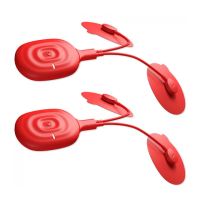
loose or the cable itself is damaged. In
either case, replace the lead cable.
CAN’T ACTIVATE DEVICE OR
PHONE STOPPED CONNECTING
TO THE DEVICE
If you have problems either activating or
connecting to your PowerDot devices:
• Remove all active PowerDots from your
application My Devices menu. To remove,
tap and hold on the PowerDot device
image, then tap on the right top corner
cross icon.
• Manually reset your PowerDot (or
PowerDots) by holding the button on the
device for around 5 seconds, until you
see power light blinking several times.
Your PowerDot device should be turned
on before you perform the manual reset.
• Kill/terminate your PowerDot application.
• Go your phone/tablet Bluetooth Settings
and remove/forget all devices which
start with PowerDot or aPowerDot.
For later Android phone models,
clearing Bluetooth caches is also highly
recommended (it can be done from
Settings
Application Manager All
Bluetooth).
• Turn Bluetooth on your phone OFF and
then ON again.
• Restart your PowerDot application and
try to activate your device again.
STIMULATION DOES NOT
PRODUCE THE USUAL
SENSATION
Check that your electrode pads are firmly
attached to your body and are correctly
positioned (as advised on the Pre-
Stimulation screen). Put the stimulation
on pause, re-attach or reposition the
pads, then resume the stimulation.
THE STIMULATION CAUSES
DISCOMFORT OR A BURNING
FEELING
If you’re using your standard intensity
modes, than most probably your pads
are worn out and/or losing their bonding
strength. Pause the stimulation and re-
attach your pads firmly, then resume
stimulation. If the same sensation
continues, stop the stimulation and
replace your pads.
ELECTRODE PADS DON’T
STICK TO THE BODY, OR THE
STIMULATION IS SURPRISINGLY
VERY WEAK EVEN ON HIGH
INTENSITIES.
Replace your electrode pads. Most
probably they’re worn out. If this doesn’t
work, check if snap on your lead cable is


 To Next Page