13 GB/CY
Preparing for use
Inserting / replacing
the battery
Note: Remove the foil from battery be-
fore inserting into battery compartment
13
.
Open the battery compartment
13
on the back of the product.
Remove the spent battery, if necessary.
Insert a new 9 V block battery into the
battery compartment. Check the po-
larity of the battery during insertion!
Ensure that the band for easy removal
of the battery lies under the 9 V block
battery. Press the battery firmly into
battery compartment.
Close the battery compartment again.
The battery compartment lid locks
noticeably and audibly into place.
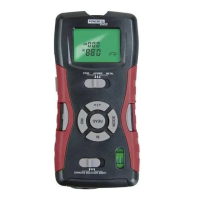
Note: When the battery symbol
ap-
pears in the display
2
, replace the batte
ry.
With a weak battery you may receive an
inaccurate or false measurement result.
Use
Tip for distance
measurement
In order to avoid measuring errors, please
note the following information:
The measurement is performed by ultra-
sound, which travels from the ultrasonic
sender / receiver
16
in a conical manner.
The ultrasound is reflected from the target
area and received by the ultrasonic receiver.







 To Next Page