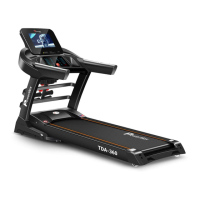
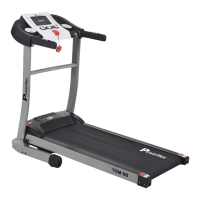
How to Use the Treadmill
1. Turn on the power and check whether the treadmill works normal.
2. This treadmill speed range in running mode is 1-15km/h.
3. Clip the safety lock clip on the clothes of the runner.
4. Please check the stability and function of the treadmill before exercise. It is strictly forbidden
to start the treadmill while standing on the running belt. Before running, you should stand
on the side railing and hold the handrails of this treadmill. When starting up, grab the
handrail with one hand and press the "START/STOP" button of the display. The treadmill
will start after about 3 seconds and then run at a speed of 1.0 Km/h. Press "SPEED+" button,
the treadmill speed will increase to reach 2.5-3.5km/h (this is the most comfortable speed
for learning to run). Grab the handrails with both hands and step on the running belt with
both feet at the same time, then you can run on this treadmill.
5. After a few minutes, you can increase the speed to run, press the "SPEED+" button on the
display to increase the speed slowly; you can also press the "SPEED-" button to decrease
the speed.
6. You can press the "START/STOP" button of the display at any time to stop the treadmill
during exercise.
7. The "6KM/H" and "12KM/H "buttons on the display can be directly adjusted to the
corresponding speed;
8. The "PAUSE" Button on the display can pause the treadmill and continue to use the treadmill
when the treadmill is running;
9. You can put your phones on the mobile phone holder, and the mobile phone music can be
played by treadmill speaker after connecting via Bluetooth. (page 13)
Note:
When the safety lock is pulled off during exercise, the treadmill will stop running immediately, the
display will refuse any operation, and the window will display "E07"
Display Window and Button Description
1. LED window displays the following functions: Time/speed/distance/calorie window: 5 seconds
switch display time, speed, distance and calorie data, time display range:0:00-99:59, distance
display range:0.00-99.99. speed display range 1-15, Calorie display range:0.00-999.9



 To Next Page