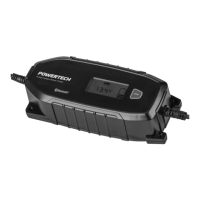
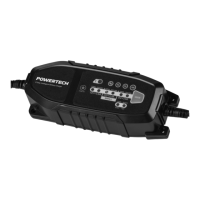
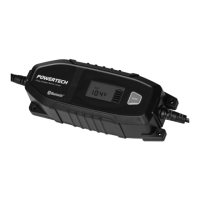
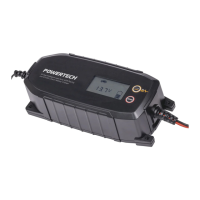
Technical data
Input
220-240V AC 50 Hz 0.3A
Output
12V DC 0.8A
6V DC 0.8A
12.8V DC 0.8A
Max. operation temperature: 40ºC
Charges: 1) 6/12V Lead Acid Flooded, Gel, Maintenance-Free, AGM Batteries 1.2Ah - 26Ah
2) 12.8V Lithium Iron Phosphate (LiFePO4) 2Ah-15Ah
IMPORTANT SAFETY INSTRUCTIONS – SAVE THESE INSTRUCTIONS
Charging Modes. The MW LF-CC008A has three (3) modes. The L
ithium charge mode require the mode button to be pressed and held
for three (3) seconds to enter the enhanced mode. This “Enhanced” modes require your full attention before selecting. Do not operate the
charger until you confirm the appropriate charge mode for your battery. Below is a brief description:
For charging 12-volt Flooded, Gel,
Maintenance-Free batteries.
For charging 6-volt Flooded, Gel,
Maintenance-Free batteries. When selected,
12.8V LITHIUM
Press & Hold Mode
For charging 12.8-volt lithium iron phosphate
batteries. When selected, the LED will
PREPARING TO CHARGE
a) If necessary to remove battery from vehicle to charge, always remove grounded terminal from battery first. Make sure all
accessories in the vehicle are off, so as not to cause an arc.
b) Be sure area around battery is well ventilated while battery is being charged.
c) Clean battery terminals. Be careful to keep corrosion from coming in contact with eyes.
d) Study all battery
manufacturer's specific precautions whil
e charging and recommended rates of charge.
e) Determine voltage of battery by referring to car owner’s manual and make sure that the output voltage selector switch is set at
correct voltage. If charger has adjustable charge rate, charge battery initially at lowest rate.
CONNECTING TO BATTERY
a) Set any charger switches to “off” position and remove ac cord f
rom electric outlet before connecting or disconnecting DC
output clamps or eyel
ets. Never allow clamps or eyelets to touch each other.
b) Identify the correct polarity of the battery terminals. The positive battery terminal is typically marked with (POS, P, +). The
negative terminal is typically marked with (NEG, N, -).
c) Position cords and cables to reduce risk of damage by hood, door or moving parts (in
cluding fan blades, belts, and pulleys)
or other parts that could cause injury to persons.
d) Do not connect
to carburetor, fuel lines, or sheet-metal body parts.
e) Determine which post of battery is grounded (connected) to the chassis. If negative post is grounded to the chassis (as in
most vehicles) see (f). If positive post is grounded to the chassis, see (g).
f) For Negative-grounded vehicle, conne
ct POSITIVE (RED) clamp from battery charger to POSITIVE (POS, P, +) post of
battery. Connect NEGATIVE (BLACK) from battery charger to the NEGATIVE (NEG, N, -) post of battery.
g) For Positive grounded vehicle, connect NEGATIVE (BLACK) from battery charger to NEGATIVE (NEG, N, –) post of
battery. Connect POSITIVE (RED) clamp from battery charger to the POSITIVE (POS, P, +) post of battery.
h) When disconnecting charger, turn switches to off, disconnect AC cord, remove connectors in reverse sequence from
connecting procedure.
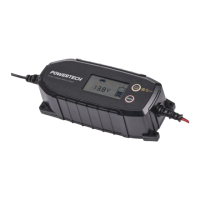
7-Step Intelligent Lead Acid
and Lithium Battery Charger
MB3902
User Manual

 Need help?
 General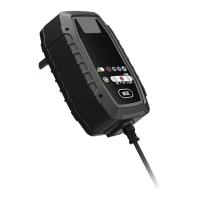

 To Next Page