EasyManua.ls Logo

PowerTech MI5700 - User Manual

PowerTech MI5700
21 pages
Print Icon
To Next Page IconTo Next Page
Loading...
Version 1.3-130603
0
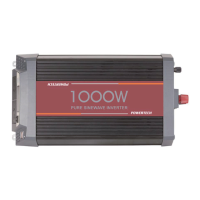
Pure Sine Wave
DC TO AC
Power Inverter
Users Manual

Questions and Answers

  • J
    Justin FordAug 3, 2025
    What to do if my PowerTech MI5700 Inverter has no AC power output and the red LED is always on?
    • G
      George GonzalezAug 3, 2025
      If your PowerTech Inverter isn't providing AC power and the red LED is constantly lit, it probably means there's an output overload or a short circuit. Try decreasing the load and inspecting the AC cable. If that doesn't work, remove the load entirely and then check the output.
  • A
    austinjonesAug 10, 2025
    Why is the yellow LED blinking slowly and there's no AC power output on my PowerTech MI5700 Inverter?
    • W
      wbuckAug 10, 2025
      If your PowerTech Inverter is not providing AC power and the yellow LED is blinking slowly, it indicates an over-temperature shutdown. Ensure proper ventilation around the inverter. Check for any obstructions blocking the vents or fans.
  • R
    robert44Aug 17, 2025
    What to do if the red LED is blinking slowly and there's no AC power output on my PowerTech Inverter?
    • D
      Dana BrownAug 18, 2025
      If your PowerTech Inverter isn't providing AC power and the red LED is blinking slowly, it could be due to low or high battery voltage. Check the battery voltage, charge the battery if it's low, and inspect the DC cable terminations.
  • K
    Kristin RomeroAug 25, 2025
    How to fix a PowerTech MI5700 Inverter that does not turn on?
    • A
      Andrew OsborneAug 25, 2025
      If your PowerTech Inverter doesn't turn on, it might be due to a damaged battery or a bad DC cable connection. Try changing the battery and check the DC cables and terminations.

Summary

Specifications

Important Safety Guidelines and Instructions

General Safety and Installation Precautions

General safety and installation precautions for inverter operation and placement.

Precautions When Working and Operating with Batteries

Safety measures when working with and operating the inverter with batteries.

Features

Applications and Descriptions

Introduction and Operation

Inverter Operation

Step-by-step instructions for operating the inverter safely and effectively.

Front Panel Operations

Explanation of the front panel controls, indicators, and their functions.

Rear Panel Operations

Details and diagrams of the rear panel connections and features.

Features of Protection

Details on over-voltage, over-temperature, and over-load protection features.

Buzzer Alarm Fault Status

Explains fault types, sound signals, and their symbols for alarms.

Installation

Requirements and procedures for installing the power inverter in a suitable environment.

DC Wiring Connections

Procedure for connecting battery cables to the DC input terminals and grounding.

Mechanical Drawings

Troubleshooting

Maintenance

Warranty

PowerTech MI5700 Specifications

General IconGeneral
BrandPowerTech
ModelMI5700
CategoryInverter
LanguageEnglish

Related product manuals