500 - 1400 VA
User’s manual
1015715
Revision B
13
USB Port
The UPS can communicate with a USB-compliant computer using LanSafe Power
Management Software (v4.15 or higher). To establish communication between the UPS
and a computer:
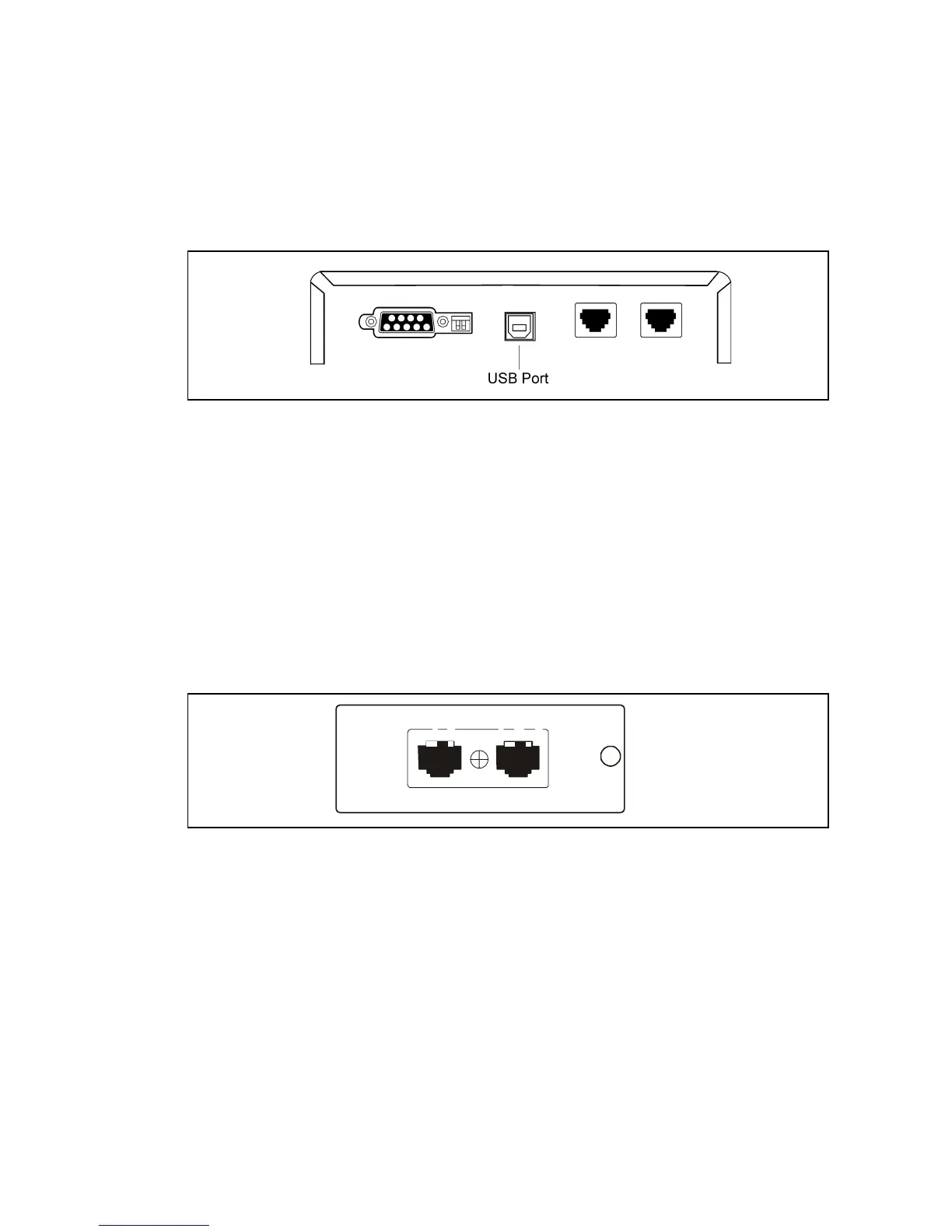
1. Connect the USB cable to the USB port on the UPS rear panel.
Connect the other end of the USB cable to the USB port on your computer.
Figure 7. The USB Port
2. Install the LanSafe software and USB drivers according to the instructions
provided with the Powerware Software Suite CD.
Network Transient Protector
The Network Transient Protector, shown in Figure 8, is located on the rear panel and
has jacks labeled IN and OUT. This feature accommodates a single RJ–45 (10BaseT)
network connector.
Connect the input connector of the equipment you are protecting to the jack labeled IN.
Connect the output connector to the jack labeled OUT.
Figure 8. Network Transient Protector
INOUT
OUT
IN












 To Next Page