EasyManua.ls Logo

PR 3108 - LED INDICATION

Default Icon
24 pages
Print Icon
To Next Page IconTo Next Page
To Previous Page IconTo Previous Page
Loading...
20 3100V106-IN
LED INDICATION
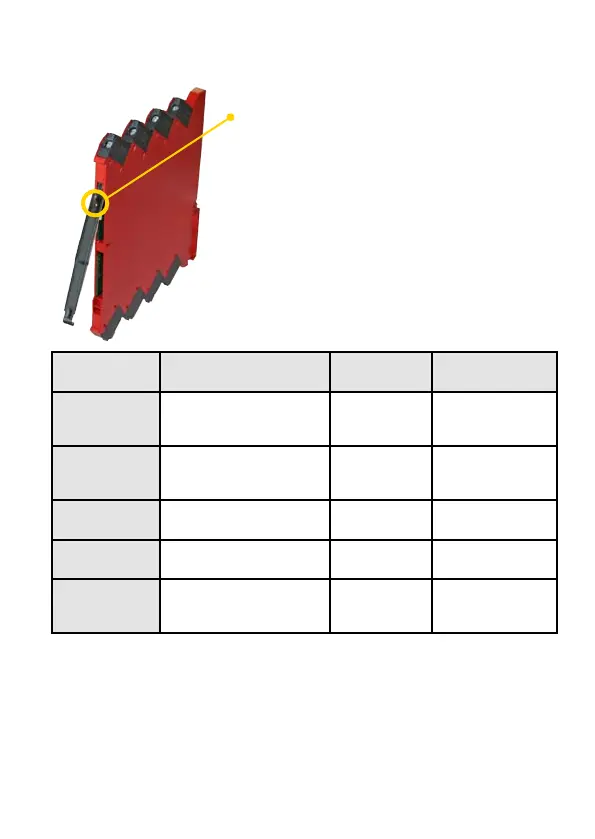
The device is equipped with a green power LED
in the front to indicate the operation status, see
the table below.
LED Condition
Output and
loop supply
Action required
OFF
No supply /
device error or
code-flash CRC error
De-energized
Connect supply /
replace device
1 Flash
(0.5 s OFF +
0.5 s ON)
Power-up or restart De-energized -
Flashing 13 Hz
(15 ms ON)
Device OK Energized -
Flashing 1 Hz
(15 ms ON)
Illegal DIP-switch
setting
De-energized
Correct setting and
re-power device
Flashing 1 Hz
(0.5 s ON)
Restarting due to:
Supply error/hardware.
RAM or program flow error
De-energized
Adjust supply /
replace device
CONTENTS

Related product manuals