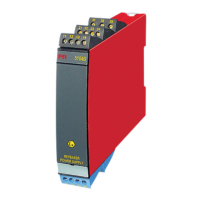
20 9106 - Product Version 9106-001
SCROLLING HELP TEXTS IN DISPLAY LINE 3
[01]
[02]
[03]
[04]
[05]
[06]
[09]
[10]
[11]
[12]
[15]
[16]
[17]
Set correct password [ PASS ]
Enter advanced setup [ ADV.SET ]
Set low limit for loop error detection [ LO.LIM1 ] [LO.LIM2 ]
Set high limit for loop error detection [ HI.LIM1 ] [HI.LIM2 ]
Enable rail status signal output? [ RAIL.ER ]
Enter display setup [ SETUP ]
Enter password setup [ SETUP ]
Enter language setup [ SETUP ]
Enter rail setup [ SETUP ]
Adjust LCD contrast [ CONTRA ]
Adjust LCD backlight [ LIGHT ]
Write a 5-character tag no. [ ’TAGON ] [ ”TAGON ]
Show loop values in display
Show tag no. in display
Alternate shown information in display
Enable password protection [ EN.PASS ]
Set new password [ NEW.PAS ]
Select language [ LANGUA ]



 To Next Page