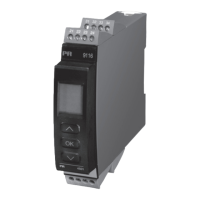
9116 - Product version 9116-003 3
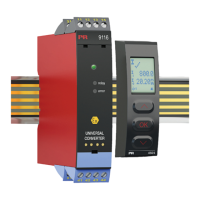
Universal Converter
9116B
Table of contents
Warning ................................................................................................ 4
Symbol identification .................................................................................... 4
Safety instructions ...................................................................................... 4
How to demount system 9000 ........................................................................... 5
Advanced features ...................................................................................... 6
Application ............................................................................................. 6
Technical characteristics ................................................................................. 6
Applications ............................................................................................ 7
PR 4511/4501 display / programming front ............................................................... 8
Mounting / demounting the PR 4511/4501 . . . . . . . . . . . . . . . . . . . . . . . . . . . . . . . . . . . . . . . . . . . . . . . . . . . . . . . . . . . . . . . 8
Order ................................................................................................... 9
Accessories ............................................................................................. 9
Electrical specifications.................................................................................. 9
Configuration of sensor error check ....................................................................... 14
Input signal outside range ............................................................................ 14
Sensor error detection................................................................................ 14
Error indications...................................................................................... 15
Connections ............................................................................................ 16
Block diagram ........................................................................................... 17
Signal error and cable fault indications without display front ............................................... 18
Configuration / operating the function keys ............................................................... 19
Routing diagram ........................................................................................ 22
Routing diagram, advanced settings (ADV.SET) ............................................................ 24
Help text overview ...................................................................................... 25
Graphic depiction of window ............................................................................. 27
Graphic depiction of setpoint ............................................................................. 28
Appendix . . . . . . . . . . . . . . . . . . . . . . . . . . . . . . . . . . . . . . . . . . . . . . . . . . . . . . . . . . . . . . . . . . . . . . . . . . . . . . . . . . . . . . . . . . . . . . . 29
IECEx Installation Drawing ............................................................................ 30
ATEX Installation Drawing ............................................................................ 35
FM Installation Drawing............................................................................... 40
Desenho de instalaçao INMETRO ...................................................................... 44
Document history ....................................................................................... 48


 To Next Page