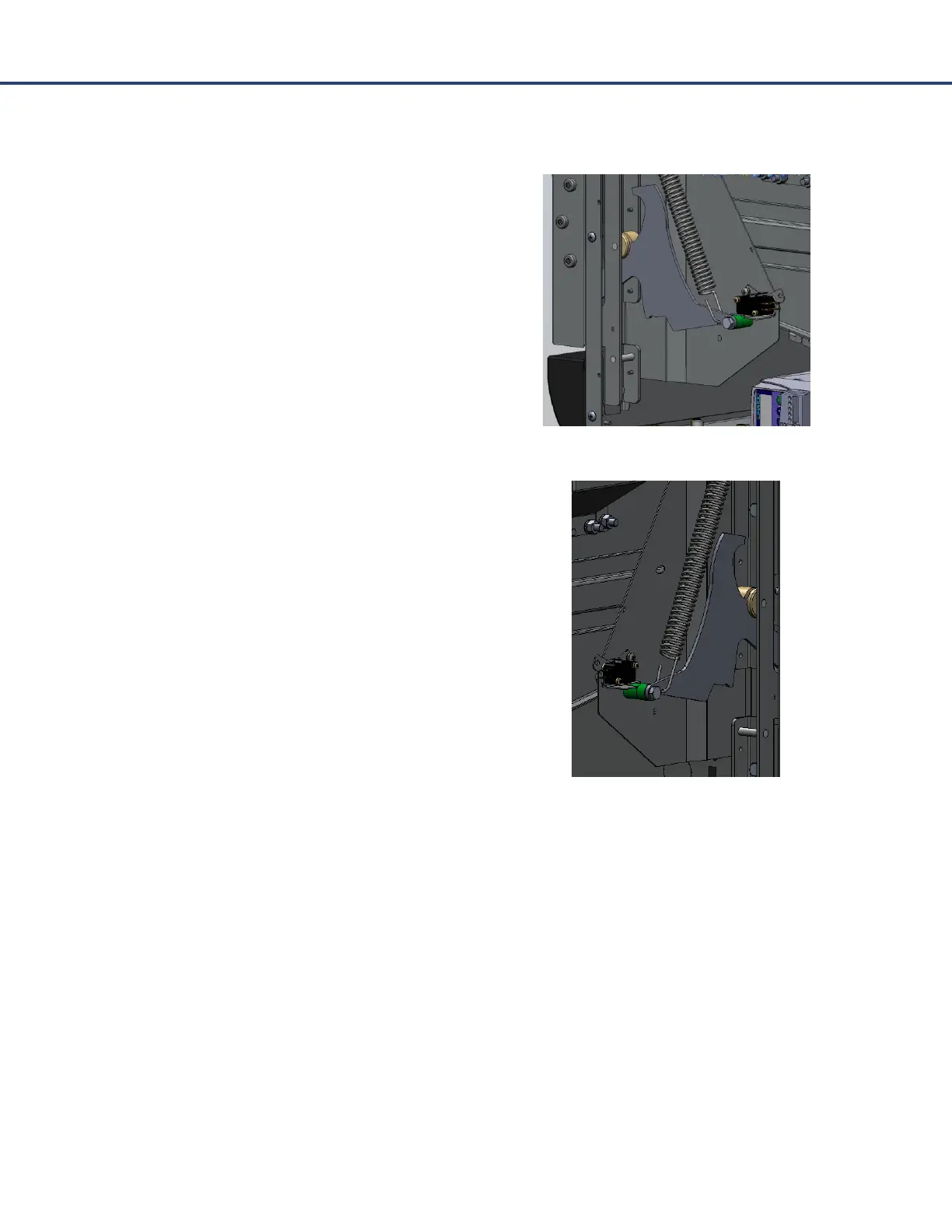
Door Switches
The Chef Express oven utilizes three independent door
switches to monitor the position of the door during
microwave operation. The switches are referenced
throughout this section as well as the wiring diagram
as: Primary, Secondary, and Monitor.
The Primary and the Secondary switches are located
together on the right side of the oven. They can easily
be accessed by removing the right-side cover. The
purpose of these switches is to give two separate
signals back to the control board to ensure the door is
properly closed before the microwave can be
energized.
The Monitor switches is locked on the left side of the
oven and is used to act as a “fail safe”, if both the
Primary and the Secondary switches were to fail. This
switch is wired in series with a separate relay
(Interlock Relay) used to open a fuse and disable the
circuit. This dead short condition will occur if the
Monitor switch opens before either the Primary or
Secondary switch during a microwave event. The
three door switches must open in a specific order
when the oven door is opened: Primary, Secondary,
then lastly Monitor.
Note: In the event of a “fail safe” condition and the fuse has opened, all three door switches are
required to be replaced to insure continued functionality and performance.



 To Next Page