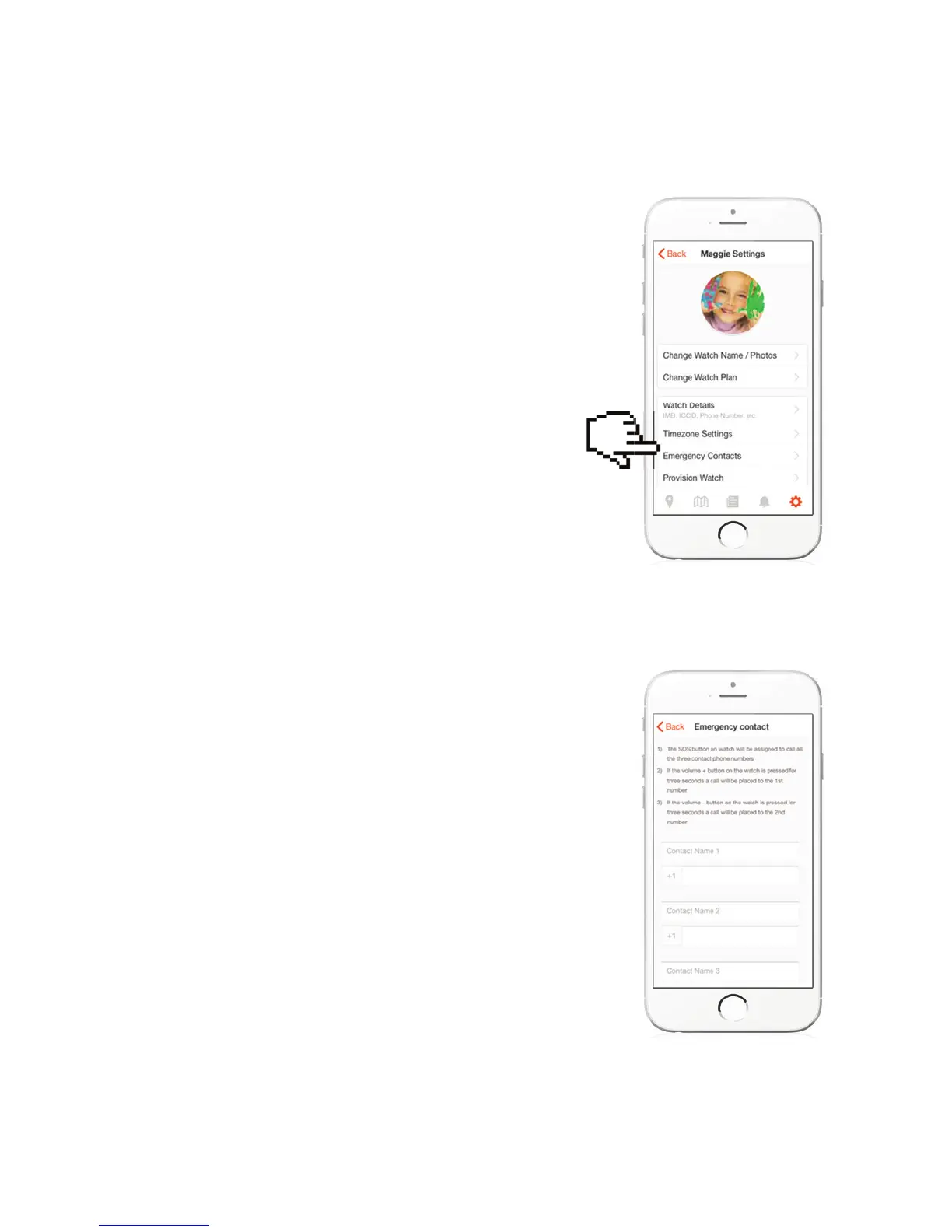
EMERGENCY CONTACT
PHONE NUMBER
This is where you put in the phone numbers you would
like the Caref to call. It will also program which numbers
will be allowed to call the watch.
Put in three numbers into phone in the following
format including country code. For example, in US…
1XXXXXXXXXX. These are the numbers that will be
called when the SOS button is pressed. When pressed,
the Caref will call the rst number programmed. If the
rst number doesn’t “answer,” then it calls the second,
then third. A text message alert will also be sent to
each phone number programmed, along with a map
location telling you where the child is located.
IMPORTANT NOTE: If the phone Caref calls goes
to a receiving phone’s voicemail, the Caref believes
somebody answered and will not call the second
number. If it hears “rings” for 40 seconds, then it will
attempt the next number. This means you may need
to adjust your individual phone settings to not answer
until 45 seconds. To learn how to change your phone
settings go to : http://tinyurl.com/jwvnskd
When child sends SOS, you will be able to hear the child
but the child won’t hear you. This is what we call LISTEN
ONLY MODE. We created it this way so that if a child is
in trouble (Abduction), he/she can press the button and
a potential abductor would not be alerted by hearing
you speak.
For Non-SOS Calls: When your child presses the +
(plus) button on the Caref, it will call Phone #1. When
he/she presses the – (minus) button, Caref will call
phone number 2.



 To Next Page