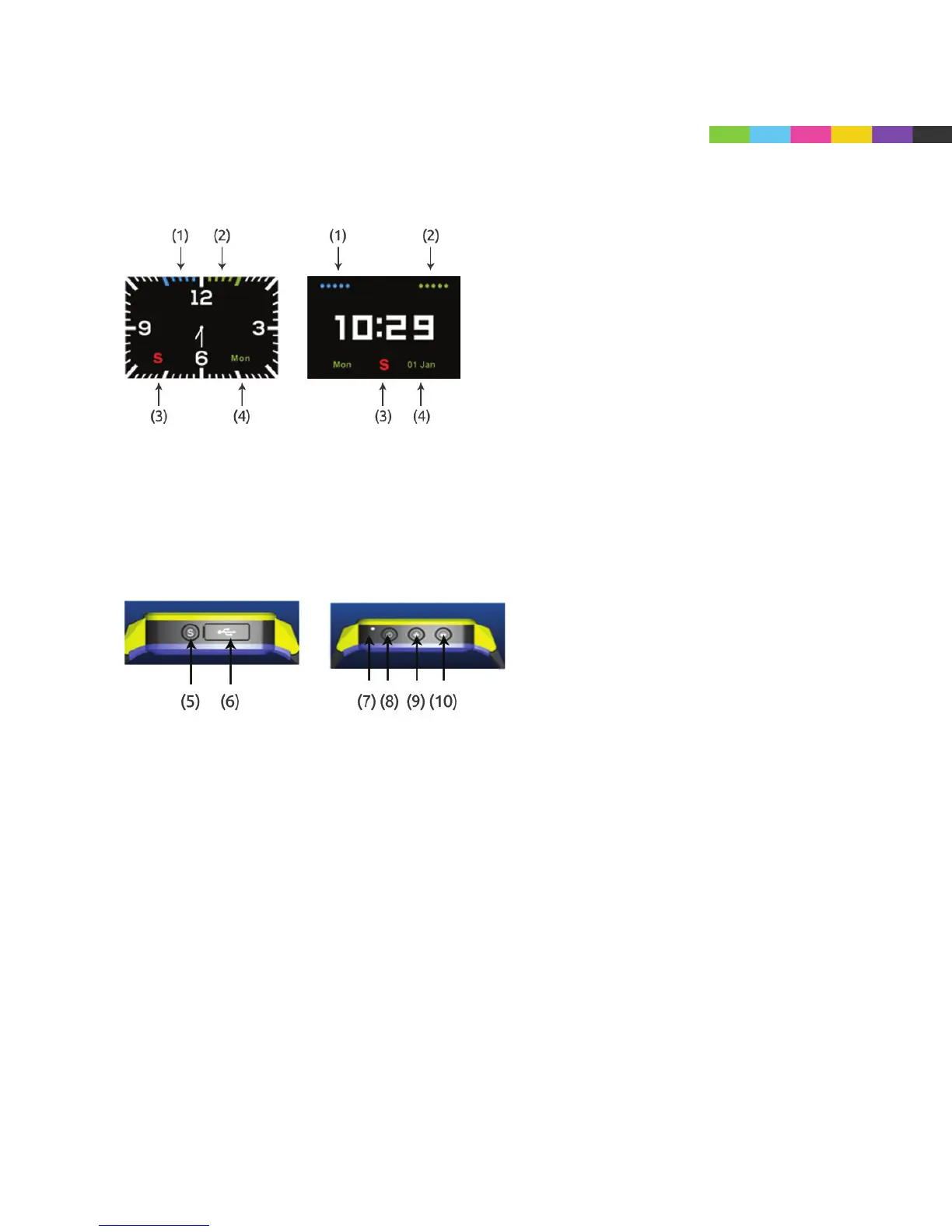
(1): Cell signal indicator
(2): Battery Power Indicator
(3): Indicator for SOS alarm successfully activated
(4): Day of Week
(5): SOS Key: Child holds down button for three seconds to place SOS to pre-
programmed numbers (programming of three numbers done on mobile app)
(6): USB Slot for USB charger
(7): Microphone Slot
(8): Power Button: Shortly press to change clock interface (digital/traditional) - Hold
for three seconds to turn Caref power ON
(9): Volume + Press down quickly to increase speaker and ringer volume. As
mentioned above, Caref will allow you to program three numbers in the mobile app
that will call when SOS button is pressed. When a child holds down on the + button
for three seconds, it will call NUMBER 1.
(10): Volume - Press down quickly to decrease speaker and ringer volume. Hold for
three seconds to call phone number 2 you have preset.
CAREF GPS
WATCH PHONE



 To Next Page