EasyManua.ls Logo

Precision Medical Live Active Five - User Manual

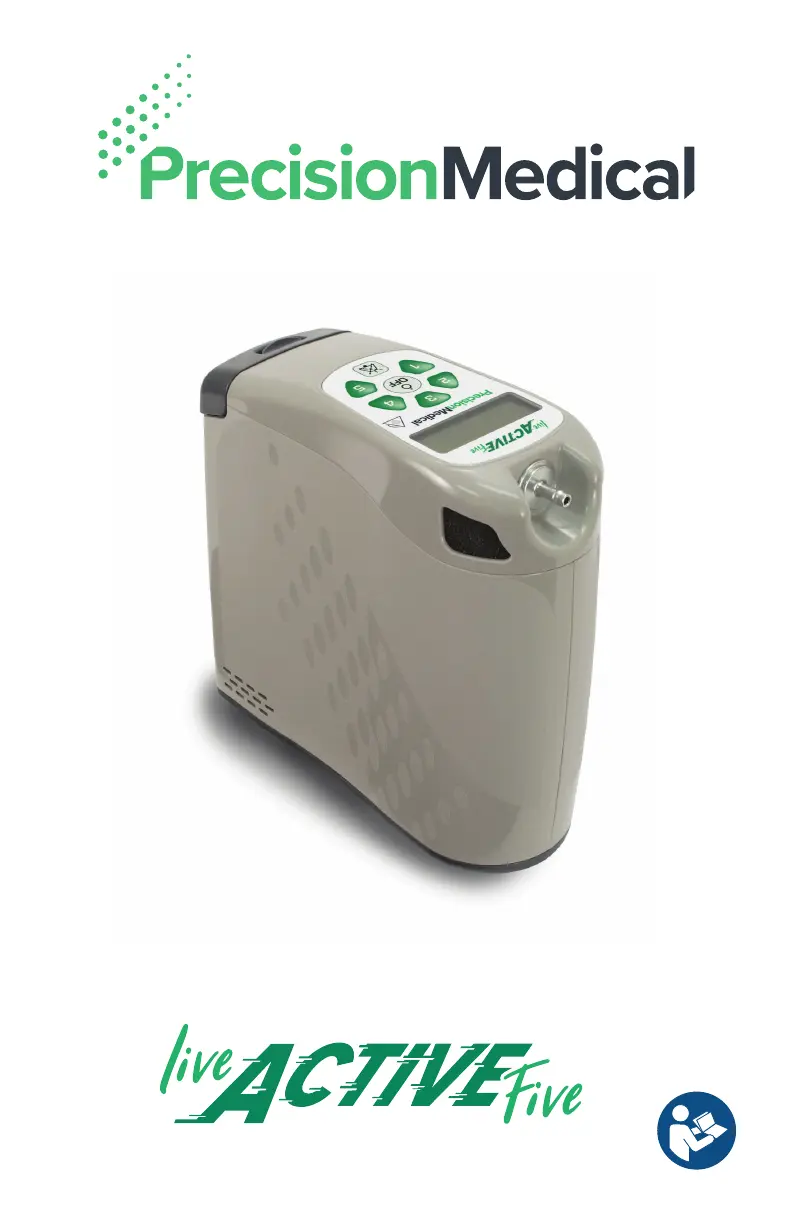
Precision Medical Live Active Five
36 pages
Print Icon
To Next Page IconTo Next Page
Loading...
Portable Oxygen Concentrator

Table of Contents

Other manuals for Precision Medical Live Active Five

Questions and Answers

  • J
    Jennifer AyersAug 19, 2025
    What to do if the external power icon is on but the battery isn't charging on my Precision Medical equipment?
    • E
      Edward BarnesAug 19, 2025
      If the external power icon is lit but the battery isn't charging on your Precision Medical device, there could be several reasons. First, the battery might be defective, and you should replace it. Second, the external power source could be faulty, or there might be a loose connection, so check those connections. Third, the battery might not be fully seated, so try reseating it. Fourth, the battery temperature might be outside the safe charging range; allow it to warm or cool to room temperature. Finally, ensure you are using a Precision Medical approved battery (508561).
  • X
    Xavier SchroederAug 21, 2025
    What to do if my Precision Medical oxygen equipment isn't delivering oxygen when I inhale?
    • J
      Juan SwansonAug 21, 2025
      If your Precision Medical device isn't delivering oxygen when you inhale, check the following: Ensure the cannula tubing is properly connected to the oxygen outlet port and free of obstructions. Inhale through your nose. Make sure the cannula is connected. Reduce your breath rate if it exceeds 40 breaths per minute.
  • M
    melissa93Aug 23, 2025
    What to do if my Precision Medical equipment displays a shutdown fault code?
    • A
      Andre MillerAug 23, 2025
      If your Precision Medical device displays a fault code, follow the on-screen directions. You will be instructed to press any setting to restart the device or cycle power and restart the device. If instructed to cycle power, remove the battery and external power, then reinstall them and press a setting to restart. If there are 5 unsuccessful attempts to restart in less than 5 minutes, connect to an alternative oxygen source and contact your home care provider or Precision Medical.
  • S
    Sarah Bennett DDSAug 26, 2025
    What does it mean if my Precision Medical equipment is producing a visual alert?
    • A
      Albert LiAug 26, 2025
      If your Precision Medical device is producing a visual alert, it could mean the installed battery is low and needs to be replaced with a fully charged battery. It may also indicate that the device needs to be connected to an external power source.
  • L
    Lisa GreeneAug 28, 2025
    Why does my Precision Medical device start and then shut down?
    • C
      Charlene CabreraAug 28, 2025
      If your Precision Medical device starts but then shuts down, it could be due to a low battery power level. Check the battery and replace it with a charged one, or connect an external power source. Alternatively, the battery might not be fully seated; try reseating it by removing and reinstalling it.
  • N
    Nicole JonesAug 30, 2025
    Why is the oxygen concentration output low on my Precision Medical device?
    • Q
      qjimenezAug 30, 2025
      If the oxygen concentration output is low on your Precision Medical device, it could be because the device is still warming up; wait 10 minutes for it to reach the prescribed concentration. Alternatively, the sieve beds may be at the end of their life cycle, requiring a replacement (508697). If the issue persists, switch to an alternate oxygen source and contact your home care provider or Precision Medical.
  • T
    Thomas LongSep 1, 2025
    Why is my Precision Medical equipment display blank or shutting down?
    • J
      John LewisSep 1, 2025
      If your Precision Medical device's display is blank or the device shuts down, it could be due to electrostatic discharge. Unplug the device from external power, remove the battery, wait at least one minute, re-insert the battery, and then turn the device on.
  • C
    Clayton HillSep 3, 2025
    What to do if my Precision Medical equipment displays a visual alert?
    • C
      Colleen LopezSep 4, 2025
      If your Precision Medical device is producing a visual alert, ensure that the device air inlets or outlets are not blocked by any objects. If they are blocked, move any obstructions. Connect to an alternate oxygen source. Turn off the device and allow it to cool before continuing use. Also, check that the device is placed correctly in the carry bag, and clean or replace the inlet filters.
  • P
    Paula DiazSep 6, 2025
    What to do if my Precision Medical Live Active Five Medical Equipment does not deliver oxygen?
    • S
      Shannon HicksSep 6, 2025
      If your Precision Medical Medical Equipment isn't delivering oxygen when you inhale, first ensure the cannula tubing is properly connected to the oxygen outlet and free of obstructions. Try to inhale through your nose, ensure the cannula is connected, and reduce your breath rate if it exceeds 40 breaths per minute.
  • S
    Shawn BerrySep 8, 2025
    Why does my Precision Medical Live Active Five turn off soon after I turn it on?
    • R
      Russell BaileySep 8, 2025
      If your Precision Medical Medical Equipment starts but then shuts off, the battery power level might be too low. Check the battery level and replace it with a charged battery or connect an external power source. Also, the battery may not be fully seated; try reseating it by removing and reinstalling it.

Summary

Device Overview

About the Live Active Five POC

Explains the molecular sieve and pressure swing adsorption technology used by the POC.

Intended Use, Indications, and User Profile

Details the device's intended use, patient indications, and required user profile.

Contraindications and Safety Precautions

Lists situations where the device should not be used and critical safety warnings.

General Information

Unpacking, Inspection, and Components

Guide to unpacking, inspecting the device, and identifying package contents.

Safety and Warnings

General Safety Warnings

Crucial safety information, including fire risks, use near flames, and proper handling.

Device Features

Control Panel Overview

Describes the device's control panel, buttons, and indicators.

Power Options

Explains battery, AC, and DC power sources for the device.

Accessories and Parts

Available Accessories and Replacement Parts

Lists and describes optional accessories and necessary replacement parts for the POC.

Setup and Installation

Powering the POC and Battery Installation

Steps for powering on the device and correctly installing the battery.

Charging the Battery and Reading Gauges

Instructions for charging the battery and interpreting its status indicators.

Powering and Connectivity

Battery Removal and External Power

Procedures for removing the battery and connecting AC/DC power adapters.

Carry Bag Usage

Carry Bag Setup, Use, and Maintenance

Guidance on using, placing the device in, and cleaning the carry bag.

Device Operation

Location, Cannula Connection, and Pulse Settings

Optimal placement, cannula connection, and adjusting pulse settings.

Powering On and Start-up Procedures

Steps for powering on the device and understanding the start-up sequence.

Display Screen Interpretation

Explains how to interpret various icons and information on the device display.

Operation Modes and Battery Management

Breathing, Quiet Mode, and Power Off

How to breathe with the POC, use quiet mode, and turn the device off.

Battery Life, Travel, and Storage

Battery management best practices, travel guidelines, and storage conditions.

Preventative Maintenance

Service Life and Case Cleaning

Information on device service life and instructions for cleaning the device case.

Filter Maintenance and User Cleaning

Procedures for cleaning/replacing air inlet/outlet filters and cleaning between users.

After Use Procedures

Storage and Proper Disposal

Guidelines for storing the POC and its proper disposal.

Troubleshooting

Technical Alerts and Power-On Issues

Explains technical alerts and troubleshooting for power-on issues.

Battery, Oxygen, and Pulse Delivery Alerts

Addresses alerts for battery status, low oxygen concentration, and pulse delivery.

System, Display, and Shutdown Alerts

Troubleshooting for device overheating, display issues, and shutdown alerts.

Technical Data and Compliance

Device Specifications and Regulatory Listings

Detailed technical specifications and applicable regulatory listings.

EMC Guidance and Emissions

Guidance on EMC, immunity, and emissions for device use.

Precision Medical Limited Warranty

Warranty Terms, Period, and Claims

Outlines the warranty coverage, periods, and procedures for making claims.

Precision Medical Live Active Five Specifications

General IconGeneral
BrandPrecision Medical
ModelLive Active Five
CategoryMedical Equipment
LanguageEnglish

Related product manuals