EasyManua.ls Logo

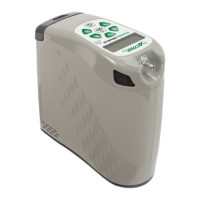
Precision Medical Live Active Five - User Manual

Precision Medical Live Active Five
36 pages
Print Icon
To Next Page IconTo Next Page
Loading...
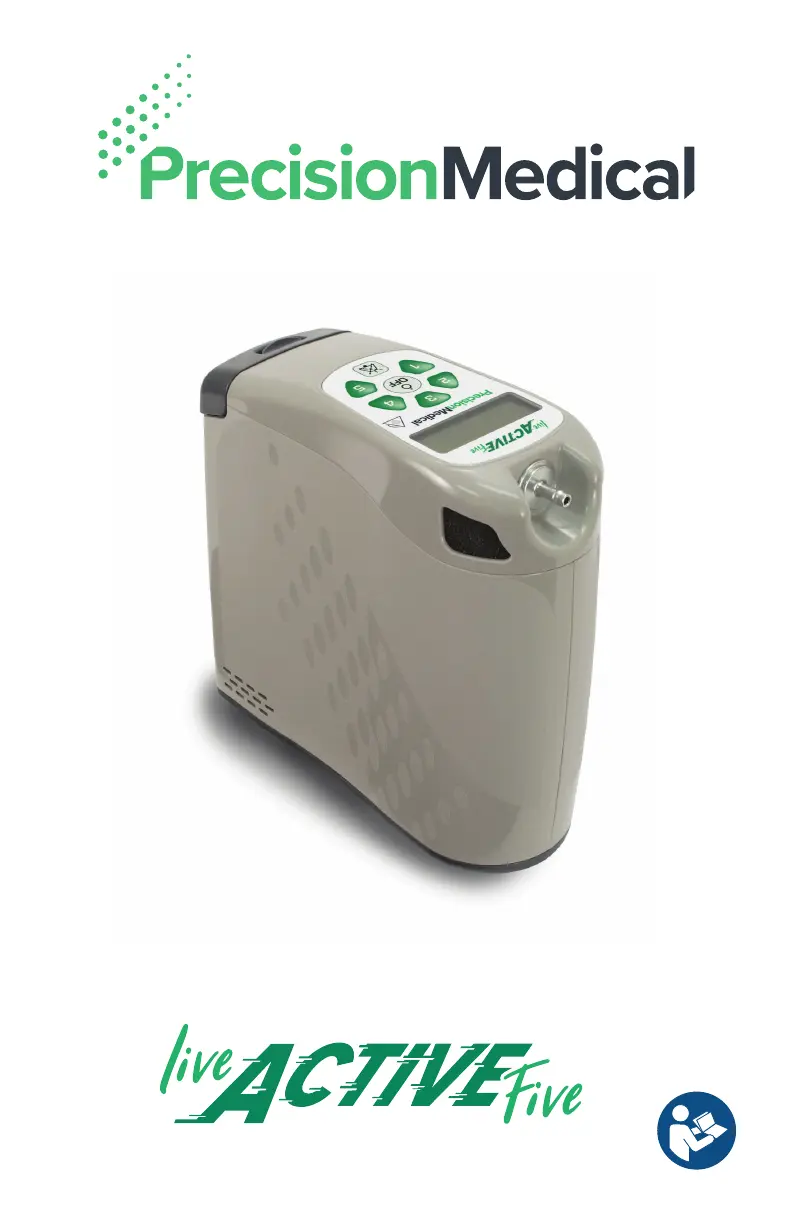
Portable Oxygen Concentrator

Table of Contents

Other manuals for Precision Medical Live Active Five

Questions and Answers

  • S
    Steve HartSep 12, 2025
    What to do if my Precision Medical Live Active Five is not charging?
    • K
      Kenneth LeSep 12, 2025
      If the external power icon is on but the battery isn't charging on your Precision Medical Medical Equipment, the battery might be defective, so replace it. Check the external power source connections for any issues. Reseat the battery by removing and reinstalling it. Ensure you are using a Precision Medical approved battery (508561). Also, the battery might be too hot or cold; allow it to reach room temperature before trying again.
  • J
    Jennifer ShawSep 13, 2025
    How to fix a blank display on Precision Medical Live Active Five?
    • H
      Heather CharlesSep 13, 2025
      If your Precision Medical Medical Equipment display is blank or the device shuts down, it could be due to electrostatic discharge. Unplug the device from external power, remove the battery, wait at least one minute, then re-insert the battery and turn the device on.
  • H
    Hannah RobinsonSep 15, 2025
    What does “SHUT DOWN FAULT CODE XX” mean on Precision Medical Live Active Five Medical Equipment?
    • N
      npetersSep 15, 2025
      If “SHUT DOWN FAULT CODE XX” appears on the screen of your Precision Medical Medical Equipment, follow the on-screen directions. You will be instructed to press any setting to restart the device or cycle power and restart the device. If instructed to cycle power, remove the battery and external power. Reinstall the battery and external power into the device. Press setting to restart.

Summary

Device Overview

About the Live Active Five POC

Explains the molecular sieve and pressure swing adsorption technology used by the POC.

Intended Use, Indications, and User Profile

Details the device's intended use, patient indications, and required user profile.

Contraindications and Safety Precautions

Lists situations where the device should not be used and critical safety warnings.

General Information

Unpacking, Inspection, and Components

Guide to unpacking, inspecting the device, and identifying package contents.

Safety and Warnings

General Safety Warnings

Crucial safety information, including fire risks, use near flames, and proper handling.

Device Features

Control Panel Overview

Describes the device's control panel, buttons, and indicators.

Power Options

Explains battery, AC, and DC power sources for the device.

Accessories and Parts

Available Accessories and Replacement Parts

Lists and describes optional accessories and necessary replacement parts for the POC.

Setup and Installation

Powering the POC and Battery Installation

Steps for powering on the device and correctly installing the battery.

Charging the Battery and Reading Gauges

Instructions for charging the battery and interpreting its status indicators.

Powering and Connectivity

Battery Removal and External Power

Procedures for removing the battery and connecting AC/DC power adapters.

Carry Bag Usage

Carry Bag Setup, Use, and Maintenance

Guidance on using, placing the device in, and cleaning the carry bag.

Device Operation

Location, Cannula Connection, and Pulse Settings

Optimal placement, cannula connection, and adjusting pulse settings.

Powering On and Start-up Procedures

Steps for powering on the device and understanding the start-up sequence.

Display Screen Interpretation

Explains how to interpret various icons and information on the device display.

Operation Modes and Battery Management

Breathing, Quiet Mode, and Power Off

How to breathe with the POC, use quiet mode, and turn the device off.

Battery Life, Travel, and Storage

Battery management best practices, travel guidelines, and storage conditions.

Preventative Maintenance

Service Life and Case Cleaning

Information on device service life and instructions for cleaning the device case.

Filter Maintenance and User Cleaning

Procedures for cleaning/replacing air inlet/outlet filters and cleaning between users.

After Use Procedures

Storage and Proper Disposal

Guidelines for storing the POC and its proper disposal.

Troubleshooting

Technical Alerts and Power-On Issues

Explains technical alerts and troubleshooting for power-on issues.

Battery, Oxygen, and Pulse Delivery Alerts

Addresses alerts for battery status, low oxygen concentration, and pulse delivery.

System, Display, and Shutdown Alerts

Troubleshooting for device overheating, display issues, and shutdown alerts.

Technical Data and Compliance

Device Specifications and Regulatory Listings

Detailed technical specifications and applicable regulatory listings.

EMC Guidance and Emissions

Guidance on EMC, immunity, and emissions for device use.

Precision Medical Limited Warranty

Warranty Terms, Period, and Claims

Outlines the warranty coverage, periods, and procedures for making claims.

Precision Medical Live Active Five Specifications

General IconGeneral
BrandPrecision Medical
ModelLive Active Five
CategoryMedical Equipment
LanguageEnglish

Related product manuals