Attach HDMI and remote control cables to consoles
Before you remove the access cover from a P82 or P62 networked fitness console or change any of its connections, make
sure that it is disconnected from its power source. If the console is already installed on a piece of fitness equipment, make
sure that the equipment is disconnected from its power source as well.
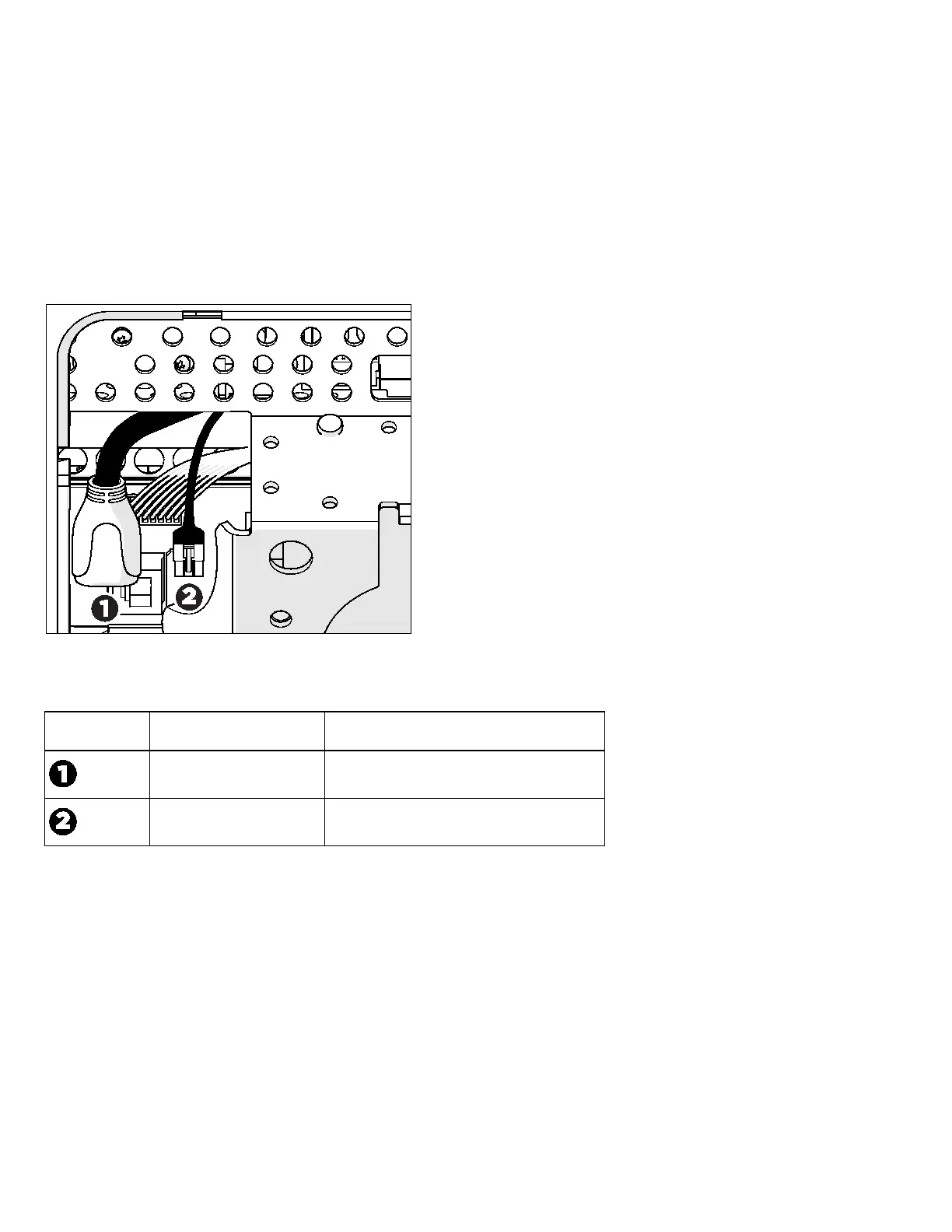
When you remove the access cover from the back of each P82 or P62 consoles, you will see two cables that are part of the console, as
shown in the following figure and table.
Figure 2: Media Ada pter connectors w ithin the P80 console
Media Adapter connector identification
HDMI HDMI socket
Remote control Three-connector locking interconnect
After you have routed the HDMI extender cable and the remote control cable through the framework of the fitness equipment and the
console mount, attach them to these connectors.
Note
For specific information about routing cables through the fitness equipment, refer to the assembly guide for the specific
equipment model you are working with (AMT, EFX, treadmill, or bike).



 To Next Page