PredatorSense - 50
Creating a New Scenario Profile
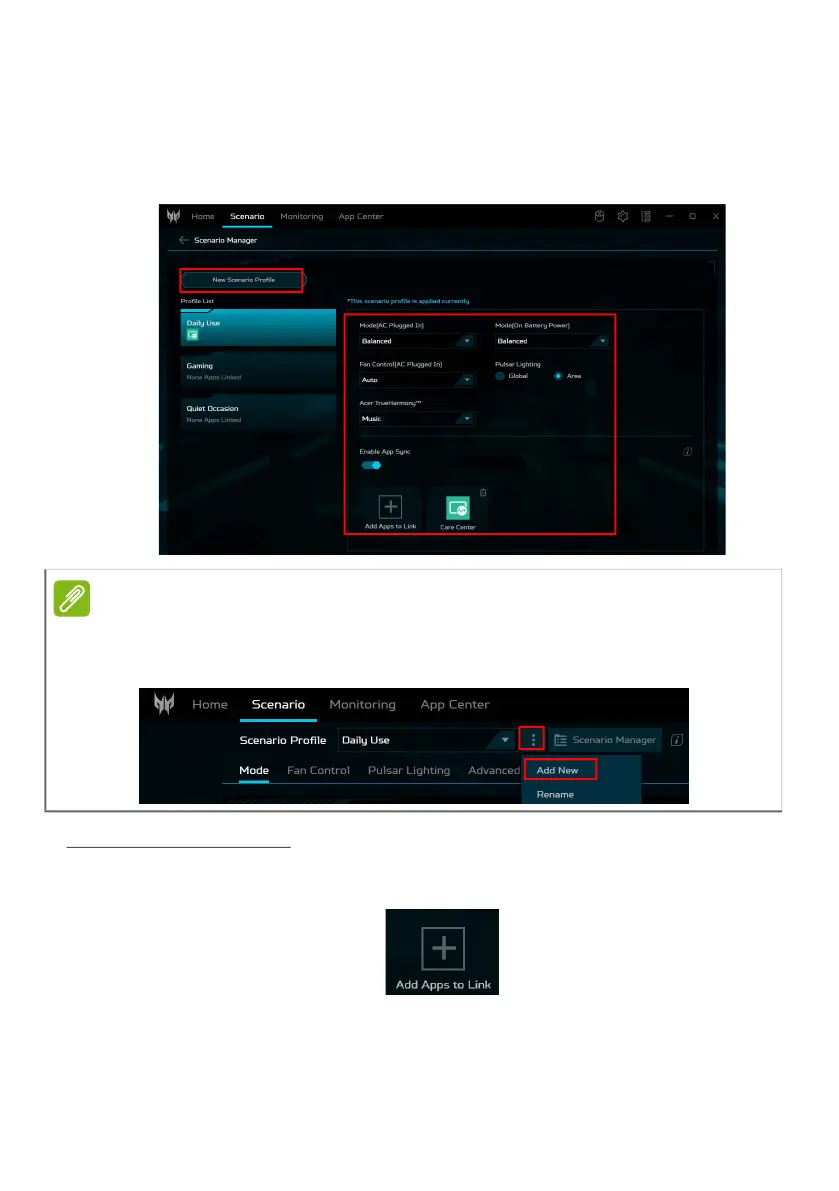
To add a new profile, select New Scenario Profile then
enter a new name for the profile and click Create. You can
configure the scenario options for the new one.
App Sync settings
Turn on the App Sync function if you have more than one
scenario. Click the
Add Apps to Link
icon.
Note
You can also add a New Scenario Profile directly from the System
screen. Click Settings > Add New. Then enter a new name for the
profile and click Create.



 To Next Page