PredatorSense - 54
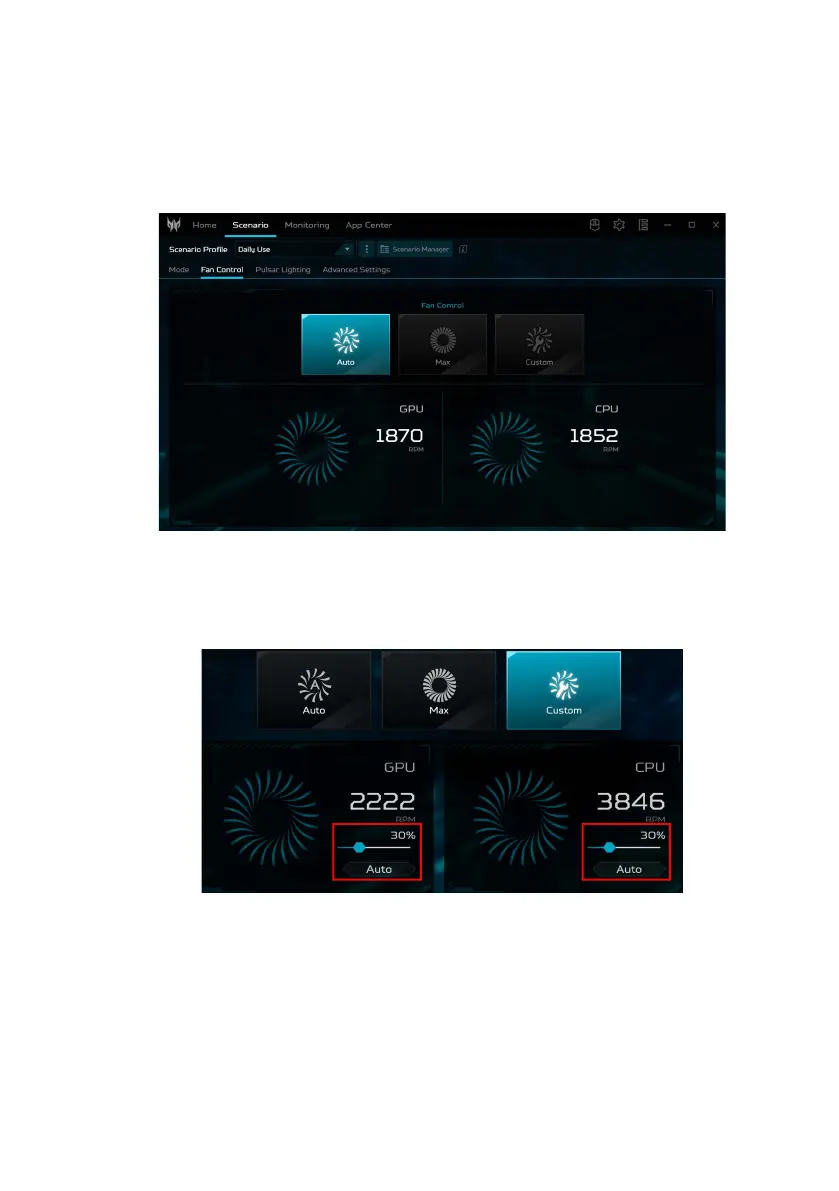
Fan control
You may adjust the performance of the fans cooling your
computer’s CPU and GPU. Three levels are available:
Auto(default), Max and Custom.
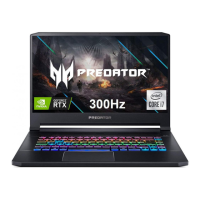
If you select Custom, then you will see two sliders that
allow you to set GPU and CPU cooling independently.
Click Auto to switch off the default setting and then adjust
the value.



 To Next Page