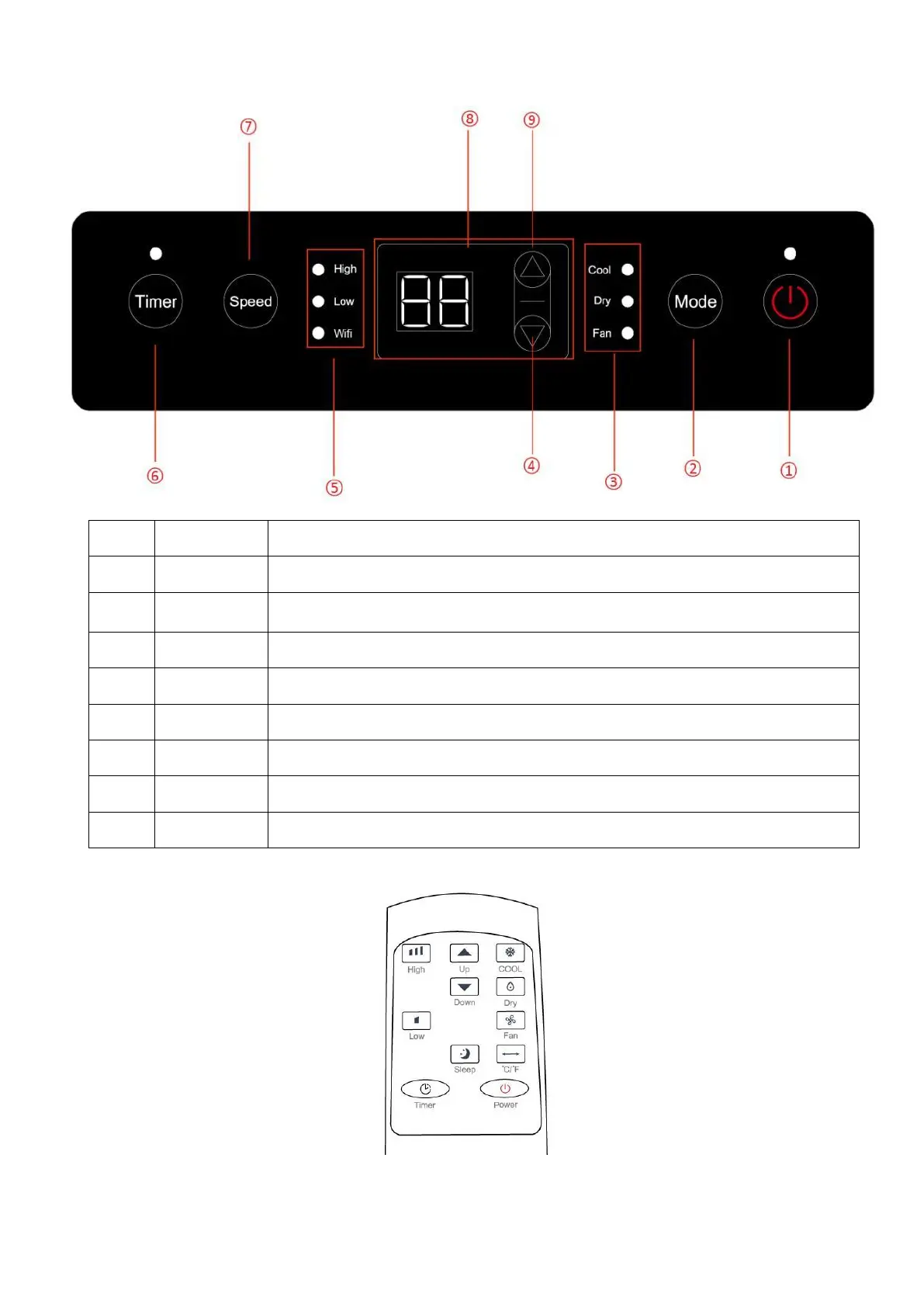
CONTROL PANEL AND DISPLAY
Press to switch the machine on or off.
Mode button. Press to switch the operation mode between cool, fan, auto and dry.
LED for 3 operation modes. Select by pressing mode button.
Increasing the desired temperature (16℃~32℃) or timer setting.
LED for fan speed (High/Low) and Wi-Fi
Sets a time for the unit to automatically start or stop.
Press to switch the fan speed between HIGH(green) and LOW (green).
Displays timer setting and room temperature.
Decreasing the desired temperature or timer setting.
Remote Control Panel



 To Next Page