
 Need help?
Do you have a question about the Prem-I-Air KY-44B and is the answer not in the manual?
Safety guidelines on transporting, placing, and operating the unit, including environmental and electrical safety.
Precautions related to power supply, avoiding wet conditions, and proper operation to prevent hazards.
Safety advice for cleaning, maintenance, power cord handling, and general operational do's and don'ts.
Guidance on connecting wires (Blue, Brown, Green/Yellow) to the correct terminals in the plug.
Details on wiring a 13 Amp Plug (BS1363) with terminal identification.
Advice on positioning, closing blinds, and managing room occupants for efficient cooling.
Tips on filter cleaning, door usage, and initial unit settings for energy saving.
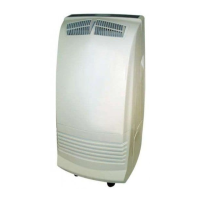
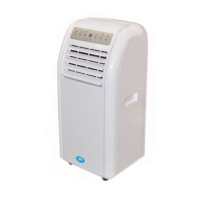
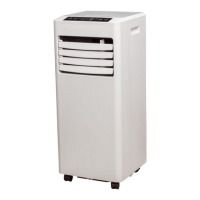
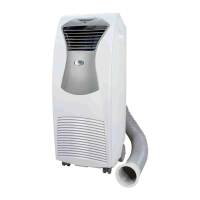
Identification of main external parts and accessories of the air conditioner unit.
Explanation of the various indicators on the control panel, including mode and status lights.
Description of the buttons on the control panel for mode selection, fan speed, timer, and operation.
Details on the indicators displayed on the remote control screen.
Explanation of the buttons for controlling the air conditioner via the remote.
Procedure for powering the air conditioner on and off using the control panel.
How to choose between Automatic, Cooling, Dehumidifying, and Fan modes.
Steps to set the desired temperature and fan speed using the control panel.
Explanation of how Automatic, Dehumidifying, Cooling, and Fan modes function.
How to set the timer for automatic on/off functions.
Using the swing function for airflow direction and the sleep mode.
Instructions for setting the current time on the remote control.
Guidance on installing and changing batteries in the remote control.
Step-by-step guide on connecting the exhaust air duct and its components.
Method for exhausting hot air through a window using the plastic pipe.
Method for exhausting hot air through a door using the plastic pipe.
Important notes on exhaust duct length, distortion, and using supplied parts.
Instructions for removing, cleaning, and drying the air filter.
Procedure for draining excess condensed water from the unit's water tank.
How to set up a permanent drain connection for continuous water removal.
Table listing common issues like unit not working or no cold air, with their causes and suggested fixes.
Details on the one-year limited warranty, terms, conditions, and voiding factors.
Advice on recording purchase details and contacting support for issues.
 General
| Brand | Prem-I-Air |
|---|---|
| Model | KY-44B |
| Category | Air Conditioner |
| Language | English |


 To Next Page