Recharge Cycle Requirements:
HE Sd HC
Salt/Recharge
(lbs)
4.1 13.0 20.1
Regeneration
Time (Min)
71 96 115
Water to Drain
(gal)
48.2 55.4 59.7
Max. Flow to
Drain (gpm)
2.7 2.7 2.7
PREMIER SERIES INITIAL POWER-UP
The water supply valve should be off or the valve is in by-pass
Initial Power-Up - (Camshaft proceeds to HOME position)
• At initial power-up, the camshaft may need to rotate to the
HOME (in service) position.
• Camshaft may take 1 to 2 minutes to return to HOME
position.
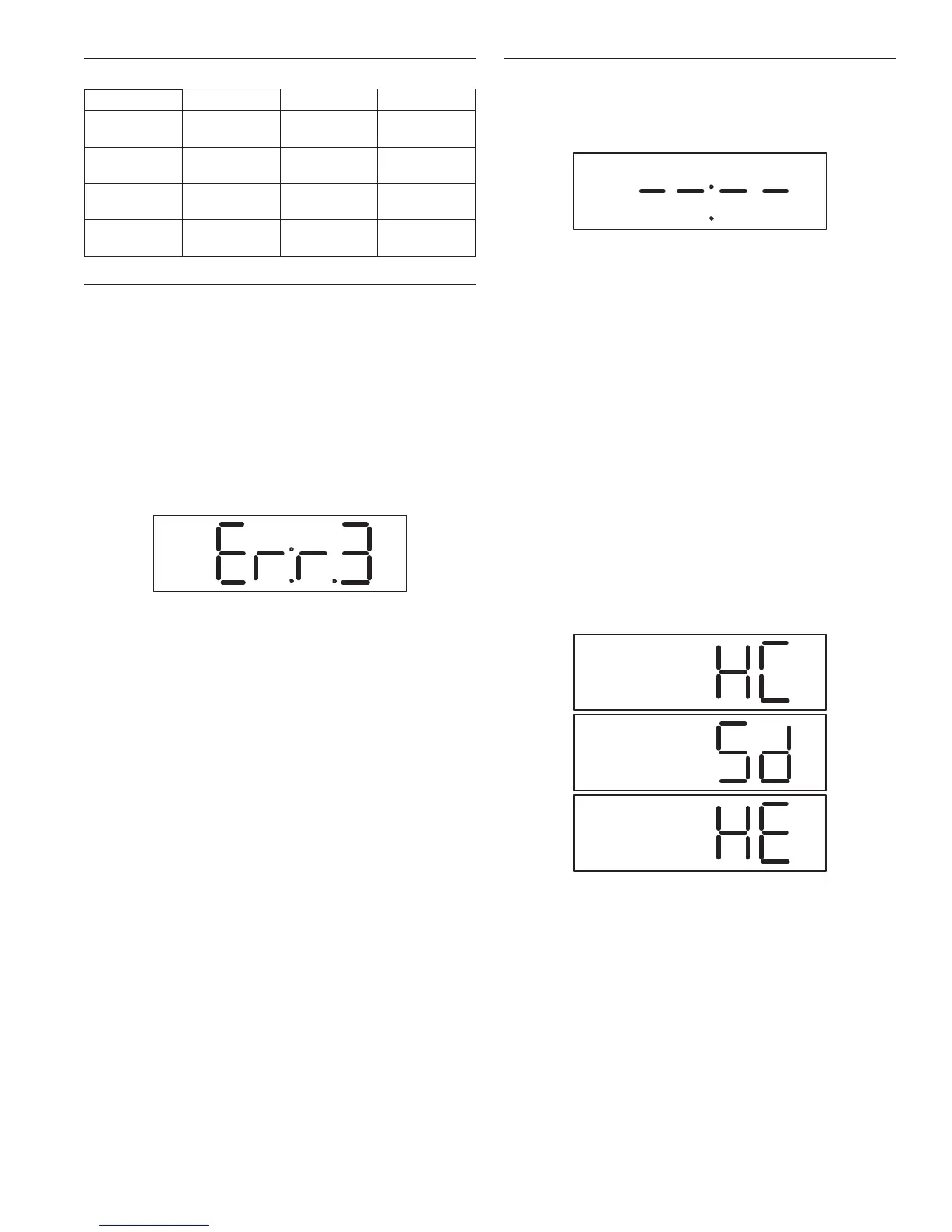
• Err 3 will be displayed until the camshaft returns to HOME
position (Figure 18 Initial Power-Up Display).
• If more than 2 minutes elapses, verify that the motor
is turning the camshaft. If it is not turning, check the
“Troubleshooting” section.
Figure 18 Initial Power-Up Display
When the camshaft has reached the HOME (service) position
the display will show “- -:- -”.
If the time of day alternating with capacity remaining is
displayed then the controller has used short term memory
to load settings. Short term memory will hold settings for
approximately eight hours. Settings include:
• Water used today
• Water used since last recharge
• Current time of day
• Recharge state
Un-programmed controls will have the following settings.
Default settings:
• Hardness - 25 grains per gallon
• Salt setting - HE, High efciency
• System will recharge every 15 days (calendar override)
even if no water is used. Unplug system for long
periods of no water usage. Calendar override is not
programmable.
In addition:
• Water used is set to 0
• The internal system clock is set to 8:00 AM. The display
continues to show “- -:- -” until the time is manually set
which updates the internal clock.
• A recharge will initiate when the internal system clock
reaches 12:00 am. The regen icon will ash.
RECHARGE continued INITIAL START-UP INSTRUCTIONS
1. Set time of day - Press the Time of Day button. Press it
again within 5 seconds and the time will increment. Press
and hold for 2 seconds to rapidly increment the setting.
Release the button and the time will be saved after
5 seconds.
Figure 19 Step 1
2. Pick the salt setting - The controller starts (defaults) with
the HE (high efciency) setting. If you want to check or
change the setting, press the Salt Amount button to display
the current setting. To change it, press the Salt Amount
button again within 5 seconds. The new setting will be
saved after 5 seconds.
HC: This setting maximizes the system capacity between
recharges and will also use the most salt. This setting can be
used if you have high water hardness or high water usage.
Example: 3 or more people and/or hardness above 25 gpg.
Sd: This setting will provide a mid-range capacity. Less
salt is used than the HC (High Capacity), setting. More
water between recharges is provided than when the HE
(High Efciency) setting is used. Use this setting if the
conditioner is running out of capacity when set to HE. This
setting is also used if the HC setting is providing too much
capacity. Use this setting if your usage or water hardness
fall between the HC and HE examples.
HE: This setting minimizes salt used for a recharge (uses
the least amount of salt) and provides the least amount of
water between recharges. This setting can be used if you
have low water hardness or low water usage. Example: 2
or less people and/or hardness below 20 gpg.
Figure 20 Step 2
Premier AF-40K MR12 • 11


 To Next Page