Page 15
Procedure for Extended Non-Use (More than 2 months)
Turn off the water supply to the RO at the adapt-a-valve and open the RO faucet to empty
the storage tank (Save a few ounces of RO water). Once the storage tank is empty, remove
the membrane and place it in a sealed plastic bag with the RO water saved earlier and store
in your refrigerator.
For restart, reinstall membrane and follow startup procedure on page 11.
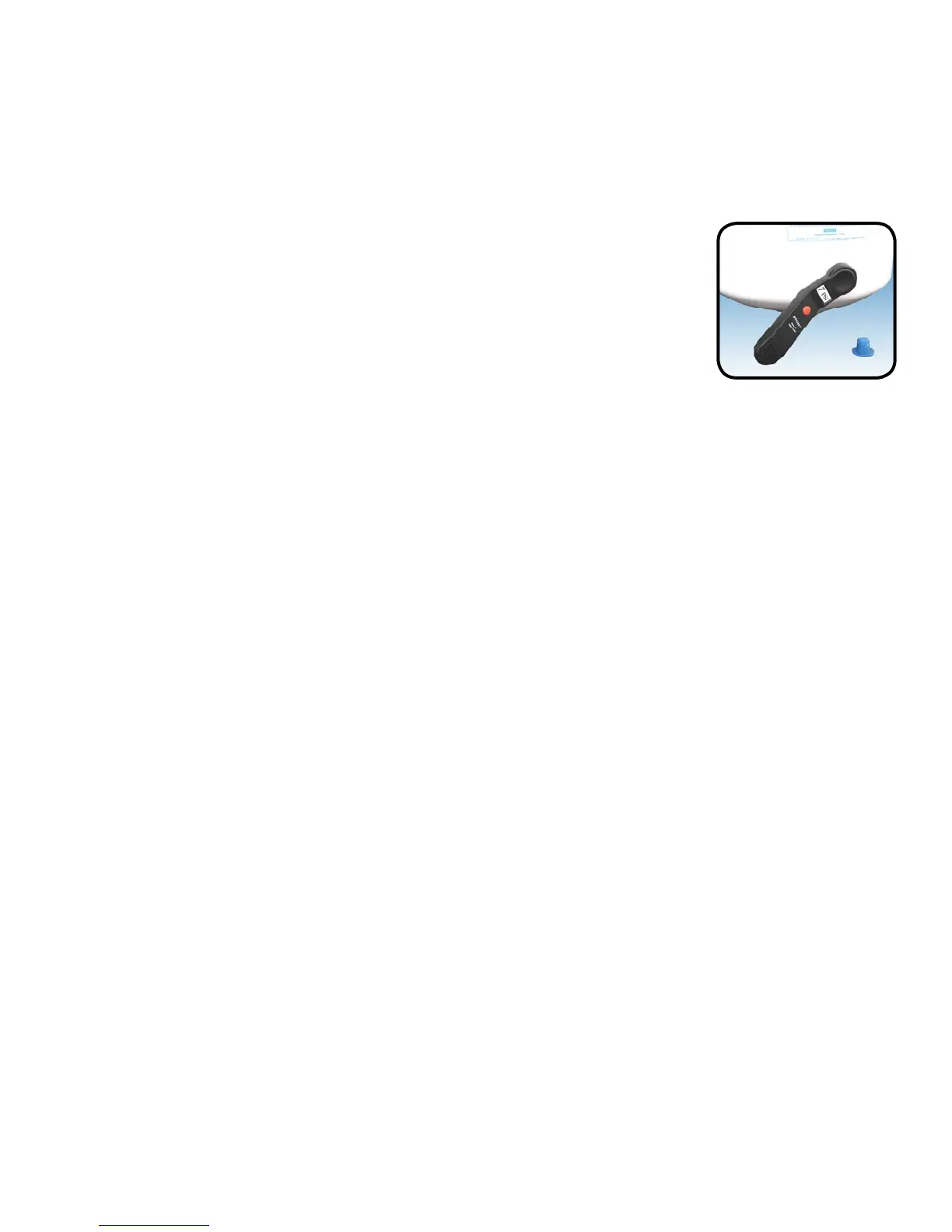
Once all water in the tank is purged, check air pressure using an air pressure gauge, it
should read between 5 - 7 PSI. (Digital air pressure gauge is recommended)
Check Air Pressure in the Tank
Important:
Step 3
Check air pressure only when tank is empty of water!
Step 1
Turn off the incoming water supply to the RO at the adapt-a-valve.
(Follow the green tube away from the RO system to fi nd the adapt-
a-valve.)
Open the RO Faucet and allow water to drain from the tank until it is
completely empty.
Step 2
Check air pressure in the storage tank when you notice a decrease in available water from
the RO system. Air can be added with a bicycle pump using the schrader valve that is
located on the lower side of the tank behind a blue plastic cap.
Tip:
When water from the RO faucet slows to a trickle, with the faucet still in the open
position, you may add air to the tank to purge any left over water, this will ensure that
the tank is completely empty.


 To Next Page