EN – 10 PMP5080
USER MANUAL
Prestigio MultiPad
PMP5080
9. Pop-up menu
Touch the Menu button to open or close the pop-up menu that lists
available options for the current application, or actions that you can
perform on the current screen.
To select an option or item on the pop-up menu:
Touch the Menu button to open the pop-up menu.
Touch the desired item on the pop-up menu.
If the menu has a scroll bar on the right side, you can flick the menu
until the desired item is found.
Touch the Menu button again to close the pop-up menu.
10. eBook Reader application
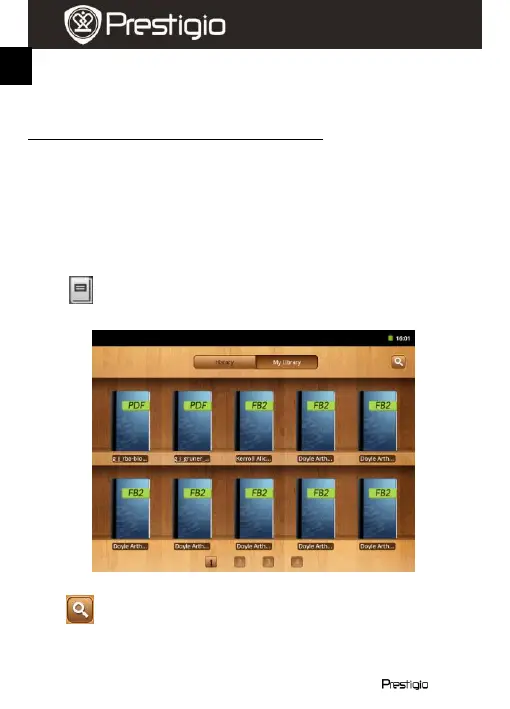
Touch to open the eBook reader application.
A list of available books (My library) will appear on the screen.
Press History to view the last opened books.
Press to open the pop-up search window.
To search for an item press the search field once. The digital keyboard
will be displayed. Type the desired text and press the OK button to
perform the search.















 To Next Page