EN-10
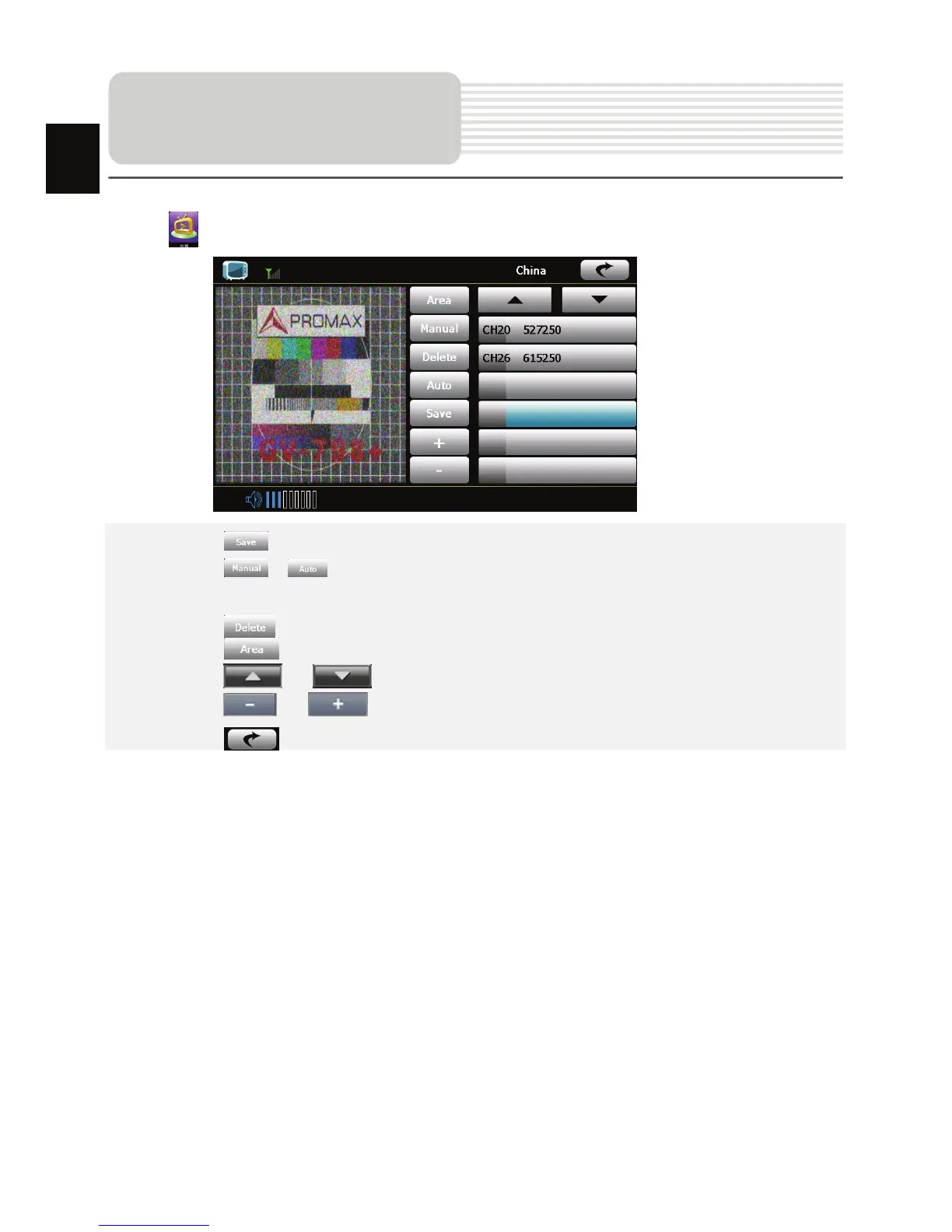
Tap on to enter Analog TV mode detailed as follows.
z Tap on to store the current TV channel.
z Tap on / to manually/automatically search for a TV channel. Search
result is displayed in the list.
z Tap on to delete the desired channel.
z Tap on to select the region.
z Tap on / to turn to previous/next item.
z Tap on / to adjust volume.
z Tap on to exit the Analog TV mode.
Analog TV
EN














 To Next Page