EN-22
If your device has GPRS-module, or provides Internet connection via the
GPRS-module of your mobile phone through Bluetooth, you will be able to use
some «Navitel.Navigator» software features like «Navitel.Traffic» and
«Navitel.SMS» services.
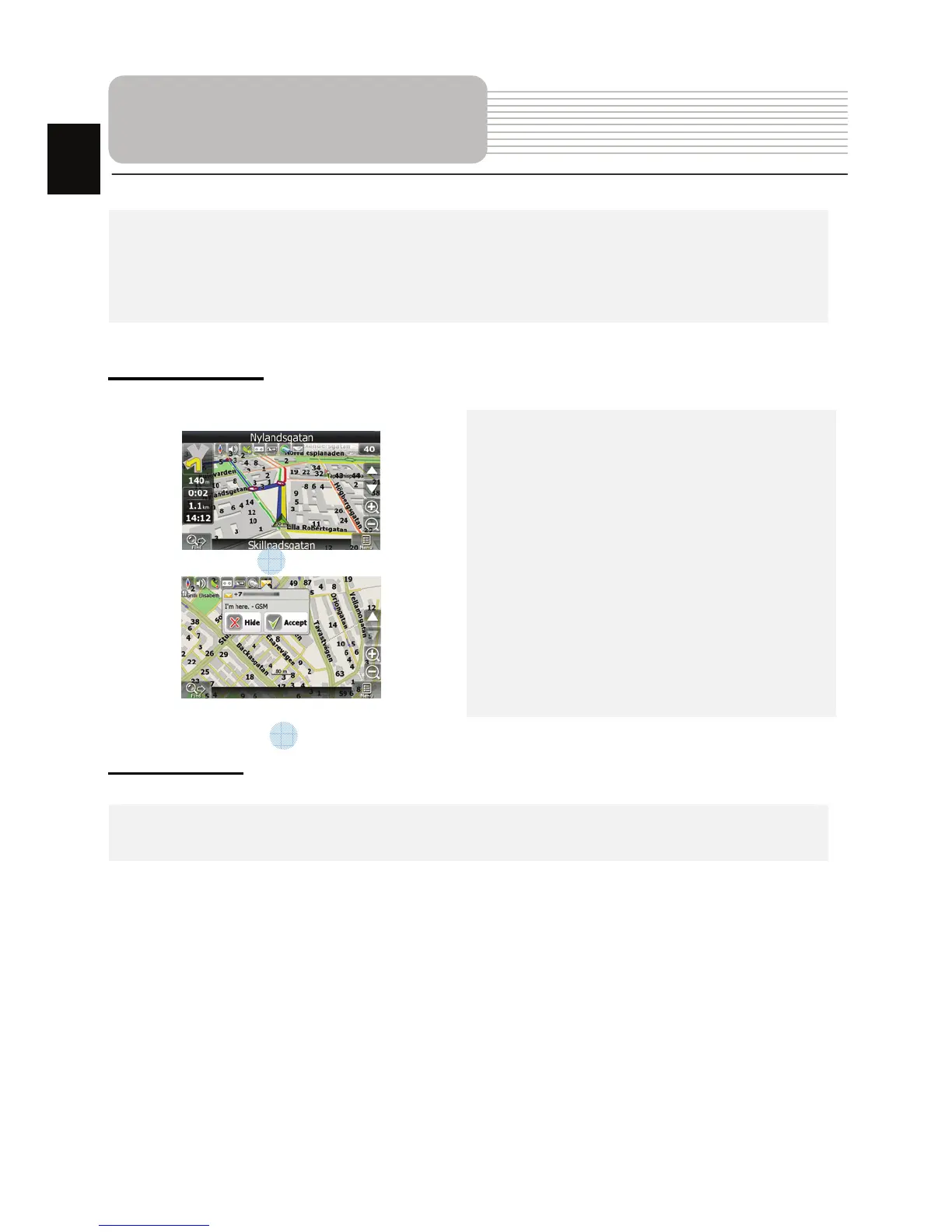
Navitel.Traffic
Using this service you can see the traffic
situation in Russia, Ukraine, Belarus or
any other country you have official map
for. To set the service, go to “Settings” ->
«On-line services» -> ”Traffic Jams”.
When the service is active, the roads are
colorized in different colors, which mean:
red - traffic jam, pink - movement is
complicated, yellow - movement is a bit
complicated, green - favorable traffic(1).
Navitel.SMS
The special window will appear on the screen when you receive the Navitel.SMSI2].
Select “Hide” to hide it or”Accept” to see options.
Note:
For more detailed information regarding the functionality of Navitel 5.0 software, please,
refer to the complete user manual on CD, or to www.prestigio.com.
Additional features
1
2
EN














 To Next Page