EN-3
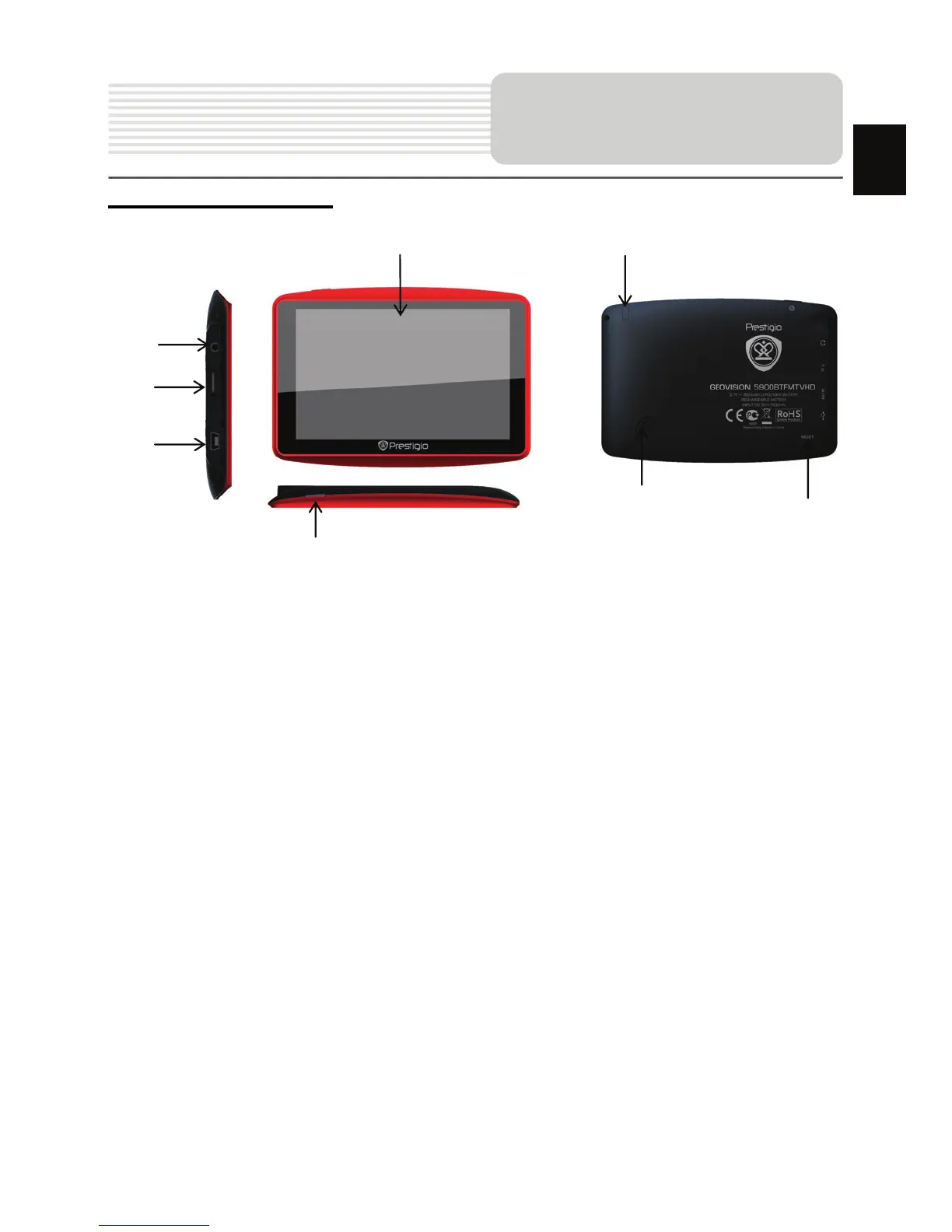
Front and Side View
1. LCD Touch Screen
Tap the screen with touch pen or finger to select menu commands or to enter
information.
2. Power Button
Press to power ON/OFF the device.
3. Analog TV Antenna
Receives television signals.
4. Earphone Port
Connect to headphones or headsets.
5. microSD Slot
Insert a microSD memory card for data access or memory expansion.
6. Mini-USB Port
Connect to USB Cable for data access or battery charging
7. Speaker
Emits sound, voice or music.
8. Reset Button
Press to reboot the device.
View of Main Unit
EN
1
2
7
3
4
5
8
6














 To Next Page