EN-21
Autorouting using search
Find an object of interest using “Search” and press it with stylus, then select “Go To”
item from the menu. Apart from this item there are also “Insert” — add a point
between two points of existing route, and “Add” — point is added to the end of a
route and continues it. Both items are available only with existing route.
Manual route creation
The difference of this route creation method from previous two is what you can set a
start point and a destination point.
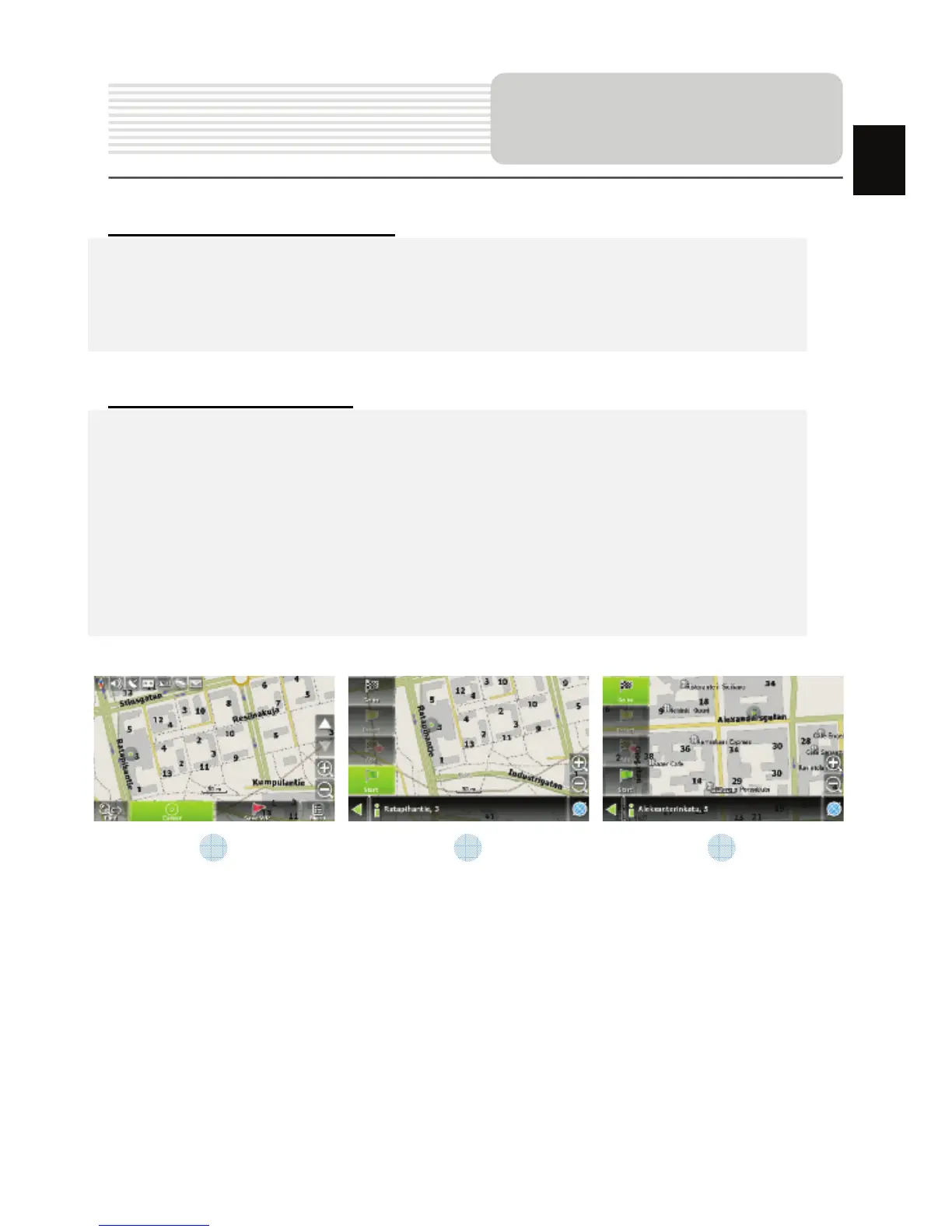
To create a route, press a map using stylus, press the “Cursor” (Fig. 1) button and
“Start” button after the menu appears (Fig. 2). Then find the destination point and
press “Cursor” — “Go To” (Fig. 3). If you using maps supports autorouting, route will
be created referring to this data and will be the shortest or the quickest. Otherwise
waypoints will be connected with strait green lines.
Please note! If GPS-receiver is active, you cannot set the start point!
Autorouting
1 2 3
EN














 To Next Page