CAUTION! Do not use rechargeable batteries.
INSTALLING BATTERIES AND SETTING THE CLOCK
1.
2.
3.
4.
5.
1.
4.
5.
YEAR
MONTH
2.
3.
AAA
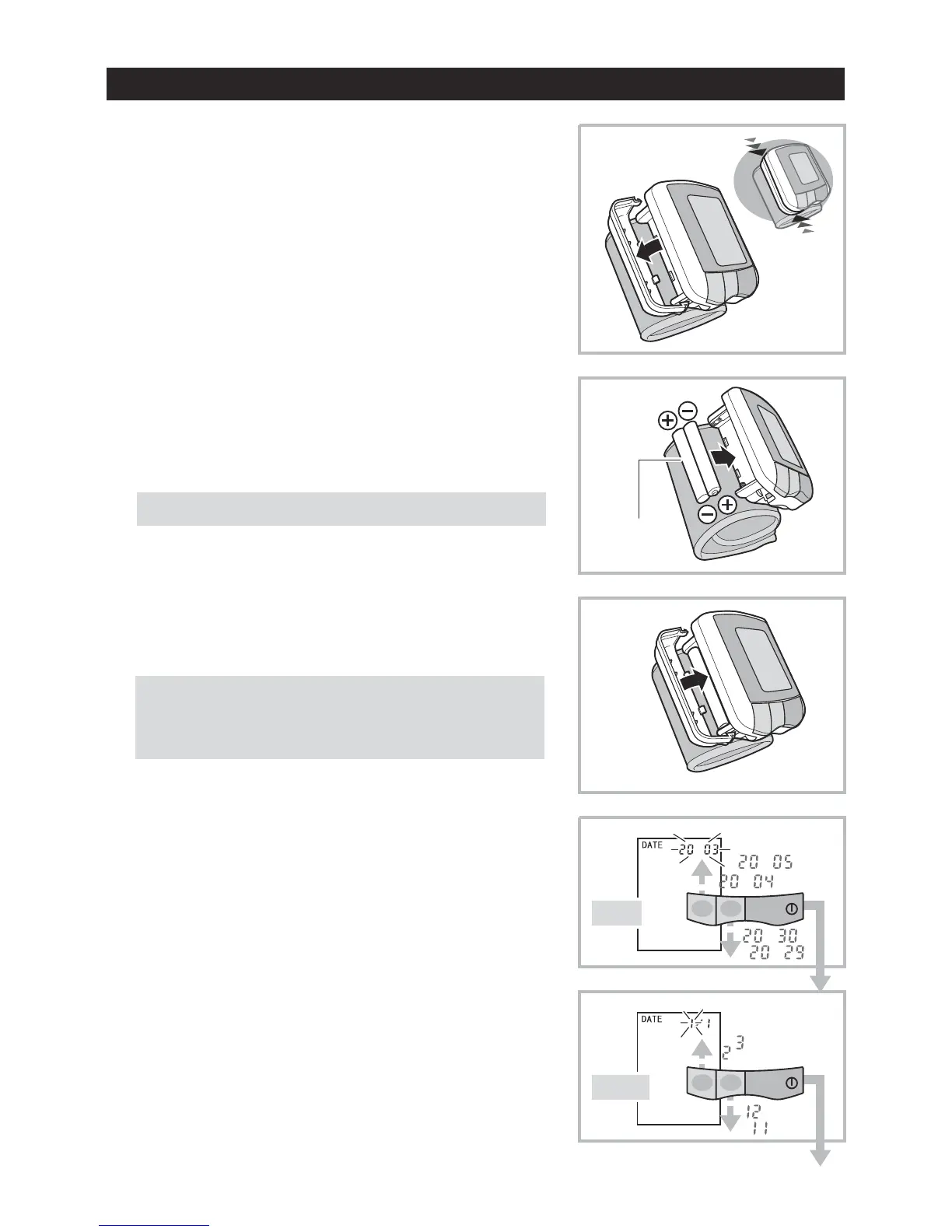
Remove the battery cover by slightly
pressing its sides in the direction of
the arrows.
Install two AAA Alkaline dry cells
in the battery compartment.
Install the battery cover.
Clock can be set only after the batteries
are reinstalled.
Use the M1 button to increase the year
or the M2 button to decrease the year.
Press the START button to confirm.
Month Flashes
Adjust with M1 and M2 buttons and
press START button to confirm.
-4-


 To Next Page