iRIDE 21
II. YOUR SCOOTER
1
2
3
4
5
7
8
6
9
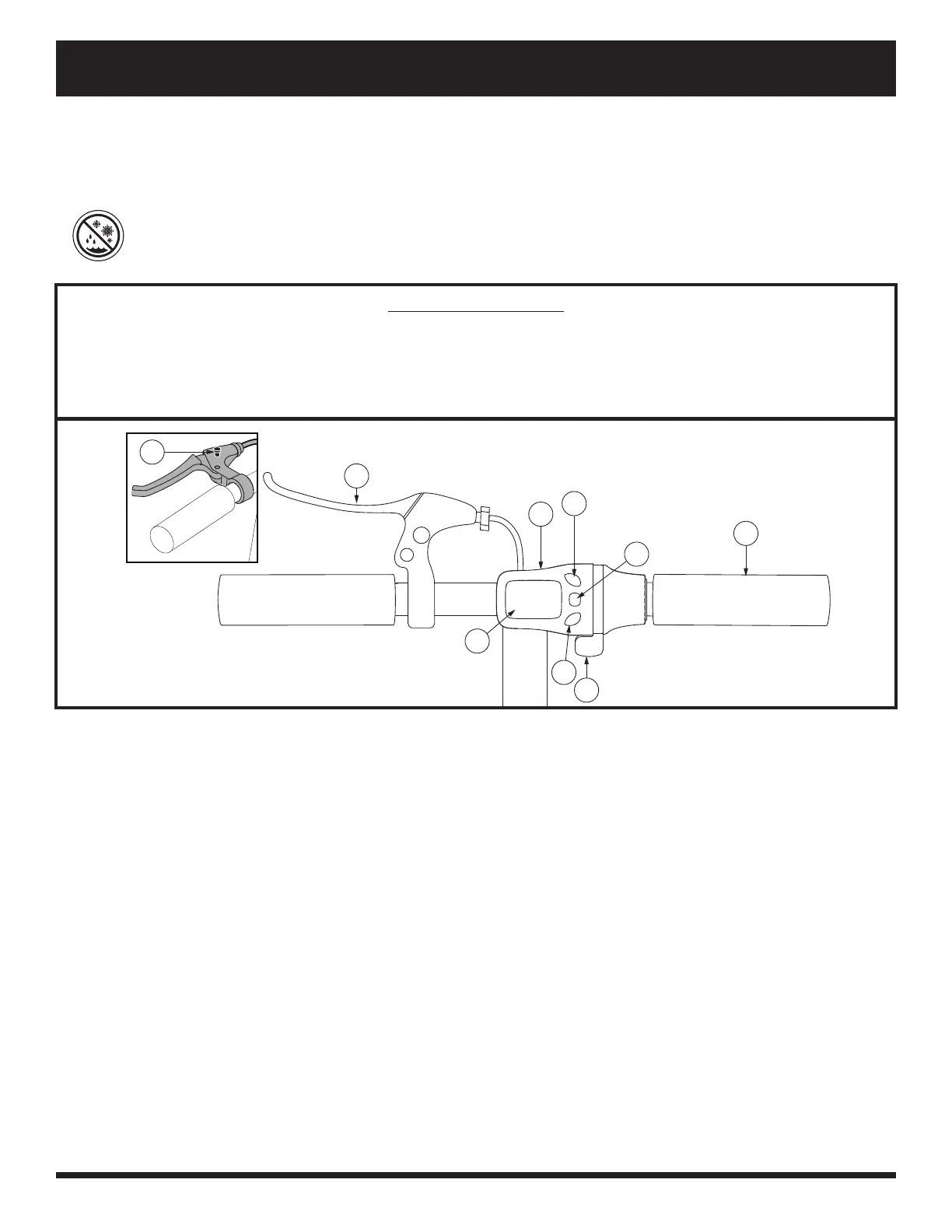
Figure 11. Tiller Console
TILLER CONSOLE
The tiller console houses all controls needed to drive your scooter, including the battery condition meter, tiller
display, and twist throttle. See gure 11.
PROHIBITED! Do not expose the tiller console to moisture. In the event that the tiller console
does become exposed to moisture, do not attempt to operate your scooter until the tiller console
has dried thoroughly.
IDENTIFICATION KEY
Power Button
Push power button on battery pack to turn your scooter on. The power button also acts as the main circuit
breaker. See gure 12.
Twist Throttle
The twist throttle allows you to control the forward speed of your scooter.
Place your right hand on the right handgrip and your left hand on the left handgrip.
Use your right thumb to press the twist throttle control downward in order to control speed of forward movement.
To slow your scooter, apply the handbrake.
When the twist throttle is released, it automatically returns to the “stop” position.
Mode Select Button
Allows you to toggle through modes and illuminate the LCD display.
Press and hold the top portion of the mode select button for two seconds to illuminate the LCD display.
Press the bottom portion of the mode select button to toggle through the available modes. From the drive
prole mode, press + or - to cycle through the available drive proles.
1. Handbrake Lever
2. Tiller Display
3. Speed Up Button
4. Mode Select Button
5. Hand Grip
6. LCD Display
7. Speed Down Button
8. Twist Throttle
9. Parking Brake Pin





 To Next Page