19
Pathrider
www.pridemobility.com
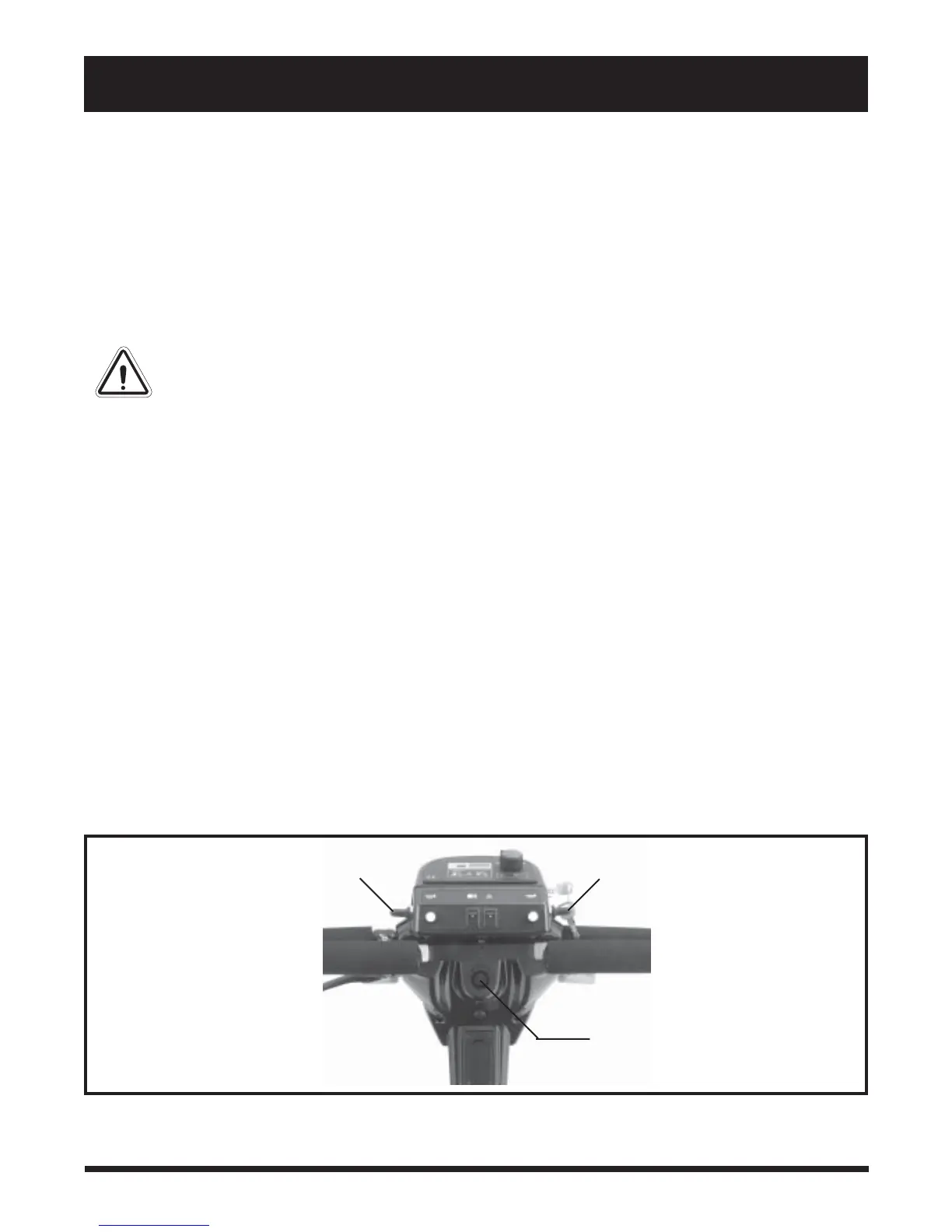
TURN INDICATOR SWITCH
Figure 7. Control Console Assembly
TURN INDICATOR SWITCH
IV. YOUR SCOOTER
Speed Adjustment Dial
This dial allows you to preselect and limit your maximum speed. Set the dial to one of five settings from the
slowest (image of the tortoise) to the fastest (image of the hare) speed setting.
Key Switch
This switch enables you to power up (turn on) and power down (turn off) your scooter.
! Fully insert the key into the key switch and turn the key clockwise to power up your scooter.
! Turn the key counterclockwise and remove it from the key switch to power down your scooter.
WARNING! If the key is removed from the key switch while your scooter is in motion, the
electronic brakes will engage and your Scooter will come to an abrupt stop!
Lights Switch
This switch enables you to control the headlight and running (rear red) lights. Pride recommends that you
should turn your lights on whenever there is less than optimal lighting necessary for safe use.
Hazard Light Switch
This switch enables you to control the front and rear hazard (amber) lights.Toggle this switch to turn the
hazard lights on and off.
Horn Buttons
These buttons activate a warning horn. Ensure the key is fully inserted into the key switch and push either
button to sound the horn.
Left and Right Turn Indicator Switches
Use these switches to turn on the left and right turn indicator (amber) lights. Each switch will activate both
the left and the right turn indicator lights. See figure 7.
1. Push the left or the right toggle switch forward to activate that sides turn indicator light.
2. Pull back on either toggle switch and it will activate the opposite sides turn indicator light.
3. To turn the indicator off, push forward on the toggle switch of the side of the blinking indicator.
OFF-BOARD BATTERY CHARGER PORT











 To Next Page