13
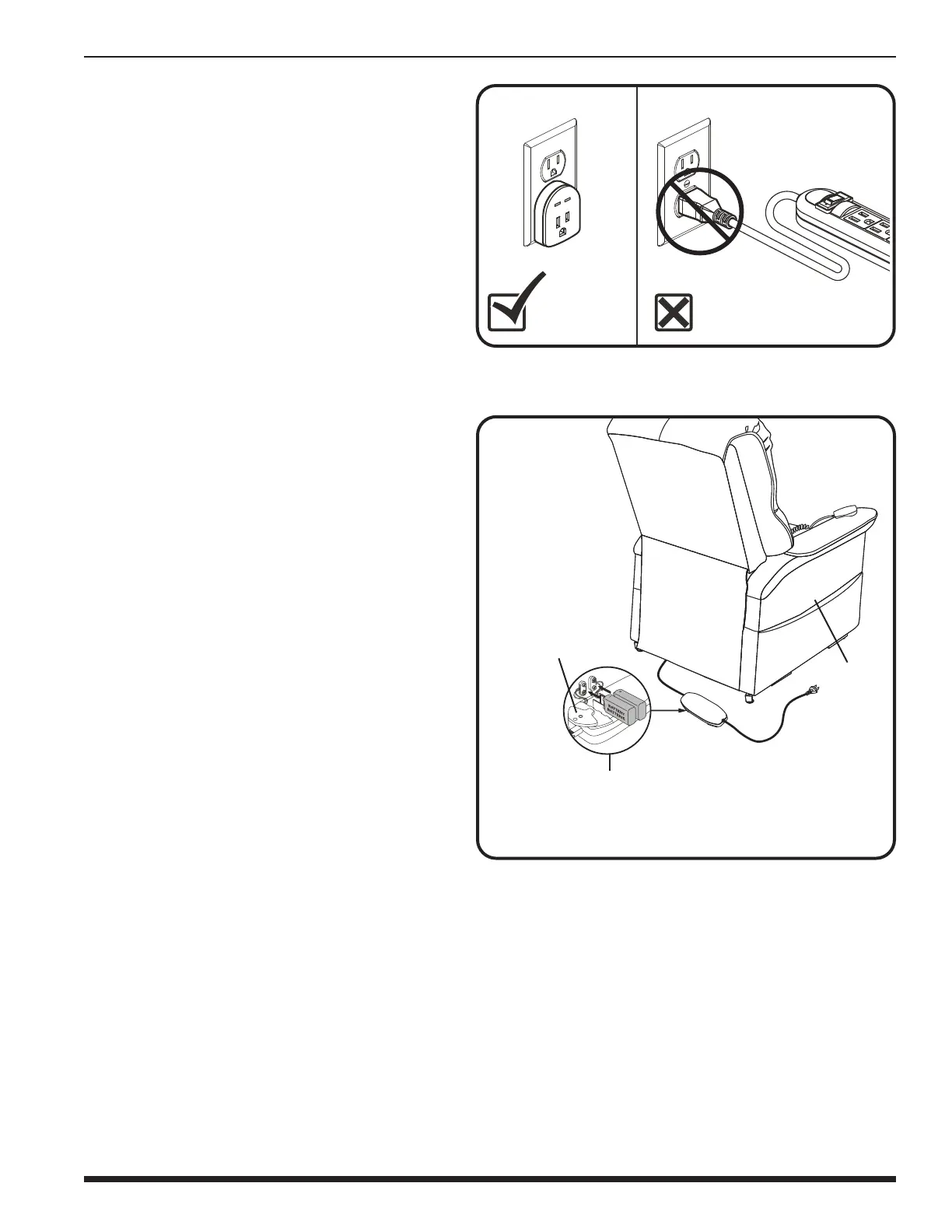
Figure 4.4 Chair Battery Back-up Location
Follow these steps to install the 9V batteries:
1. Unplug the external transformer power cord
from the electrical outlet.
2. Open the marked battery door on the external
transformer.
3. Install two 9V batteries in the external
transformer (fig. 4.4).
4. Replace the battery door.
NOTE: Always make sure the external
transformer is equipped with two fresh
9V batteries, since the battery back-up
system does not recharge itself. Fresh
batteries are dened as 9V alkaline
batteries that are replaced every time
the battery back-up system is activated
during a power failure, or once every
six (6) months if the battery back-up
system has not been activated. For best
performance, heavy duty or industrial
strength alkaline or non-rechargeable
lithium-ion 9V batteries should be used.
Ensure that the marked battery door is
replaced after installing new batteries.
Failure to replace 9V batteries as
recommended may result in your chair
not operating in the event of a power
failure.
BACK
-
UP BATTERY INSTALLATION
NOTE: Your chair is equipped with either
a 9V or lithium-ion battery pack back-
up system. Battery back-up is intended
to return a reclined chair to a seated
position one time during a power outage.
Refer to the section that corresponds to
your battery back-up system.
9V Battery Back-up System
Your chair may be equipped with a battery back-
up system that will activate during a power
failure. The back-up system is powered by two 9V
batteries (not included) that need to be installed
in the external transformer.
BATTERY DOOR
POWER CORD
EXTERNAL TRANSFORMER
(TOP AND BOTTOM VIEW)
IV. ASSEMBLY/DISASSEMBLY
NOTE: If you discover a problem at any
point during the setup and positioning
of your chair, stop and contact your
authorized Provider immediately. To
avoid personal injury and/or product
damage, do not plug the unit into the
electrical outlet until the problem is
corrected and do not attempt to x
electrical problems by yourself.
Figure 4.3 Surge Protector



 To Next Page