14
Lithium-Ion Battery Pack Back-Up System
If your chair is equipped with an external transformer
with a lithium-ion battery pack, your chair may be
operated without being plugged into an electrical
outlet for up to 48 hours.
Follow these steps to replace the lithium-ion
battery pack batteries:
1. Unplug the external transformer power cord from
the electrical outlet.
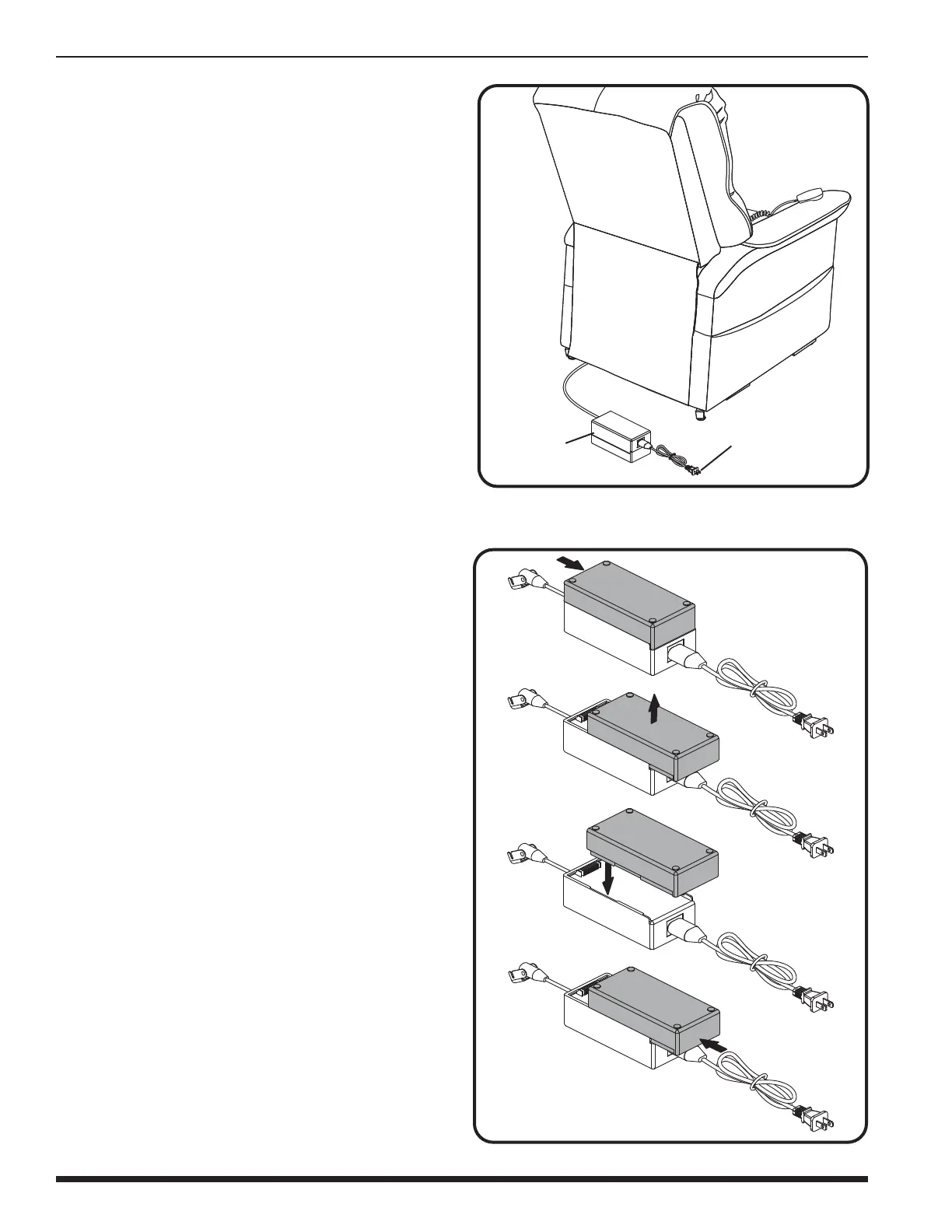
2. Position the external transformer so that the
lithium-ion battery is facing upward (fig. 4.5).
3. Gently bump with your hand the end of the
lithium-ion battery pack to dislodge it from
external transformer.
4. Slide the lithium-ion battery until it stops and
then lift the lithium-ion battery off of the external
transformer.
5. Place the new lithium-ion battery on top of the
external transformer with the securement grooves
toward the external transformer (fig. 4.6).
6. Slide the new lithium-ion battery onto the external
transformer until it clicks into place.
NOTE: Remove the lithium-ion battery from
the battery pack when your chair isn’t
being used for an extended period of time.
The chair will draw power from the battery
even when it is not in use.
IV. ASSEMBLY/DISASSEMBLY
Figure 4.6 Lithium-Ion Battery Replacement
Figure 4.5 Chair Battery Back-up Location
POWER CORD
LITHIUM-ION
BATTERY PACK
NOTE: If you unplug your chair for an extended
period of time (more than one hour), remove
the batteries from the external transformer.
The chair will draw power from the batteries
even when it is not in use.



 To Next Page