8
Preparation for the remote control
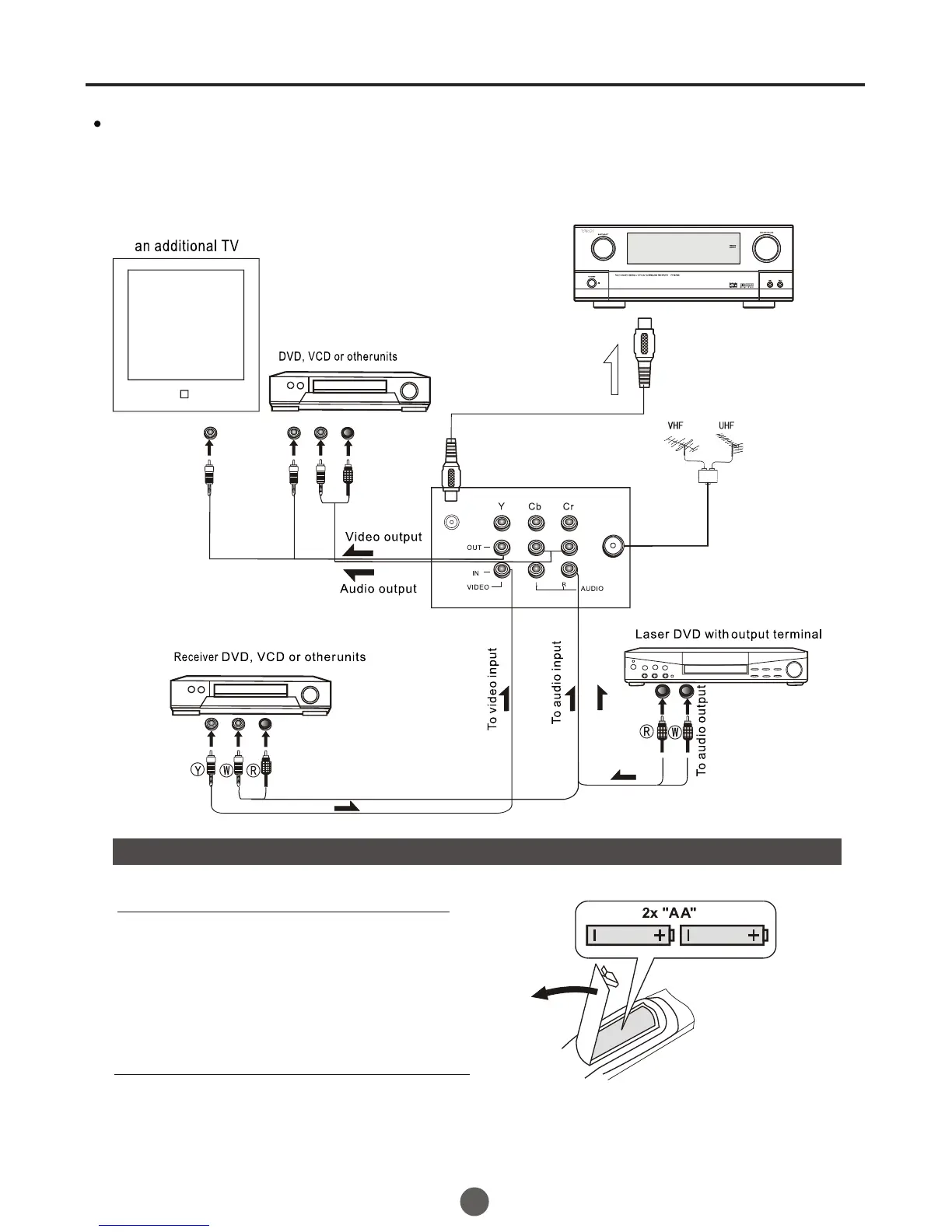
Battery installation
Tips for remote operation
Remove the battery cover.
! When the remote control will not be used for a long period of time or when the batteries
are worn out, remove the batteries to prevent leakage.
! Do not throw the batteries into fire. Dispose of used batteries in the specified manner.
! Do not drop, dampen or disassemble the remote control.
Insert two size AA batteries matching
the +/-polarities of the battery to the +/-
marks inside the battery compartment.
!
!
The other video and audio equipment Connections
You can connect the DVD,VCR and stereo system to the output to enjoy a
higher quality of picture and sound effect.
COAXIAL OUT
Coaxial cable
To COAXIAL
type digital
audio input
Amplifier
ANT IN



 To Next Page