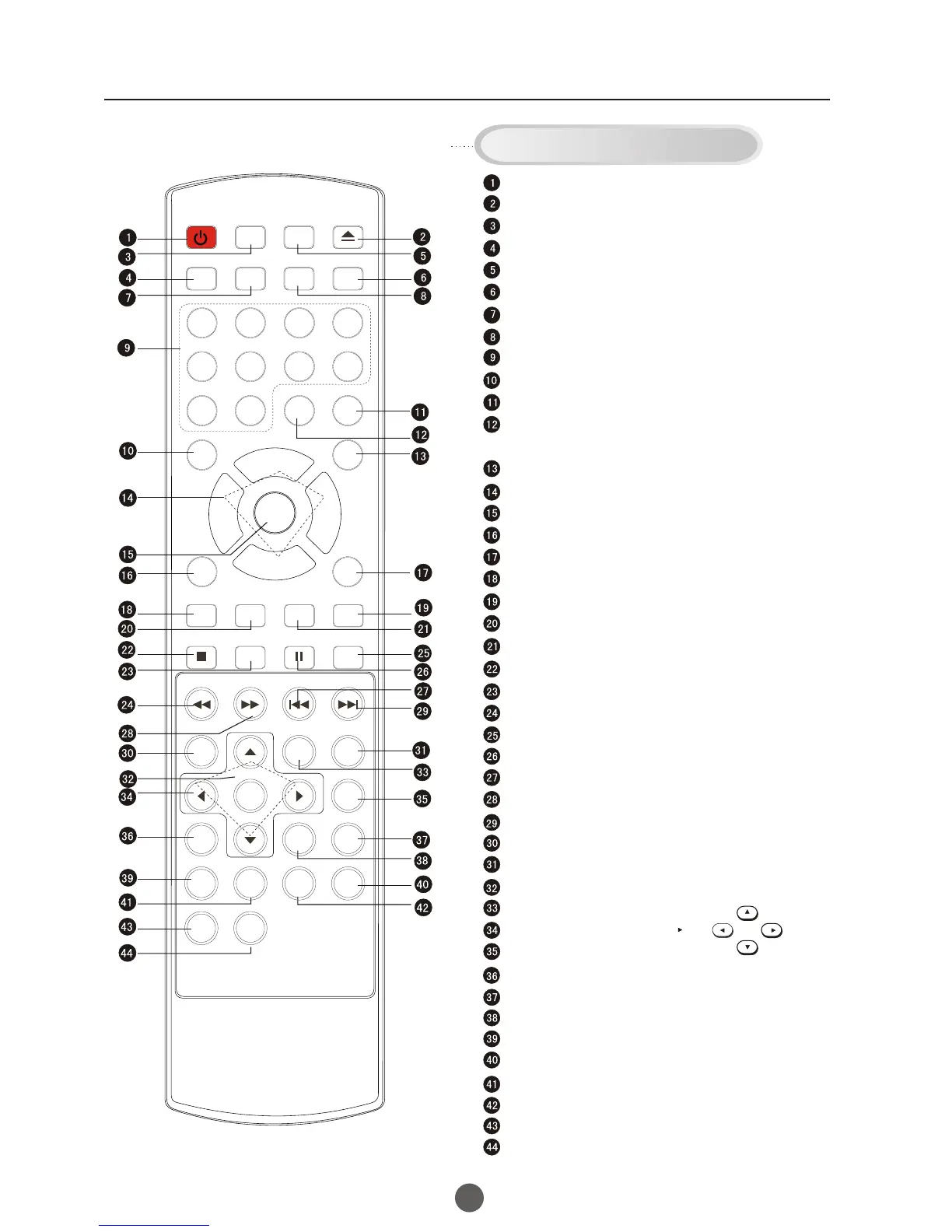
Using the Remote Control
Q.VIEW button:
SAP button:
CC
P.MODE (picture mode):
TV Sleep button
CH.LIST (channel list)
GUIDE
FAV.LIST (favorite list)
SIZ: Aspect Ratio Control under 16:9 digital signal input
P
DVD FAST REVERSE
DVD PAUSE/STEP
DVD FAST FORWARD
DVD MENU
DVD A-B REPEAT
DVD Cursor Move button
DVD SLOW
DVD SEARCH
DVD TITLE
DVD PROGRAM
10+
CLR: clear
Power Switch
TV / AV Mode Selection
TV / DTV Mode Selection
TV / DVD Mode Selection
Mute Sound
Return to Previous Channel
Channel / Track Selection
Second Audio Program
Mode Selection: Closed captioning (selects mode).
Adjust Picture Mode
Adjusting
Go to TV Menu
Exit On Screen Display
reference (may not operate using some systems)
Enter
Playback
Selection
Chapter / Track
Chapter / Track
Playback / Confirm Menu Selection
Mode
Change
Mode
DVD INFORMATION
Zoom Function
Open/close DVD Tray
On Screen Display
Volume/Channel
DVD STOP
DVD SETU
DVD CAPTION (SUBTITLE)
DVD NEXT
DVD
DVD REPEAT
DVD ANGLE
DVD AUDIO
DVD PREVIOUS
Buttons on the remote control
UP
DOWN
LEFT
RIGHT
POWER TV/DVD
OPEN/CLOSE
Q.VIEW INFO
MUTE
1 2 3 4
5 6 7 8
99 00
CC
P.MODE
CH+
CH-
VOL
_
MENU
OK
STOP
SETUP
PAUSE/STEP
REV
FWD .
PREV
NEXT
D.MENU
REPEAT
A-B
PLAY/ENTER
SLOW
ANGLE
TITLE/PBC
SEARCH
AUDIO
CLR
D.CALL
TV/AV
PROGRAM
ZOOM
10+
VOL
+
SUBTITLE
-
TV/DTV
SAP
SLEEP
CH.LIST FA V. LIST SIZ GUIDE
7
- button: select additional channels being broadcasted.
For example, to select channel “54-3”, press “54”, “-”, “3”,
and then press “OK”.



 To Next Page