Setting the language and blue screen
You can choose from three different
languages (English, French and
Spanish) for the on-screen displays.
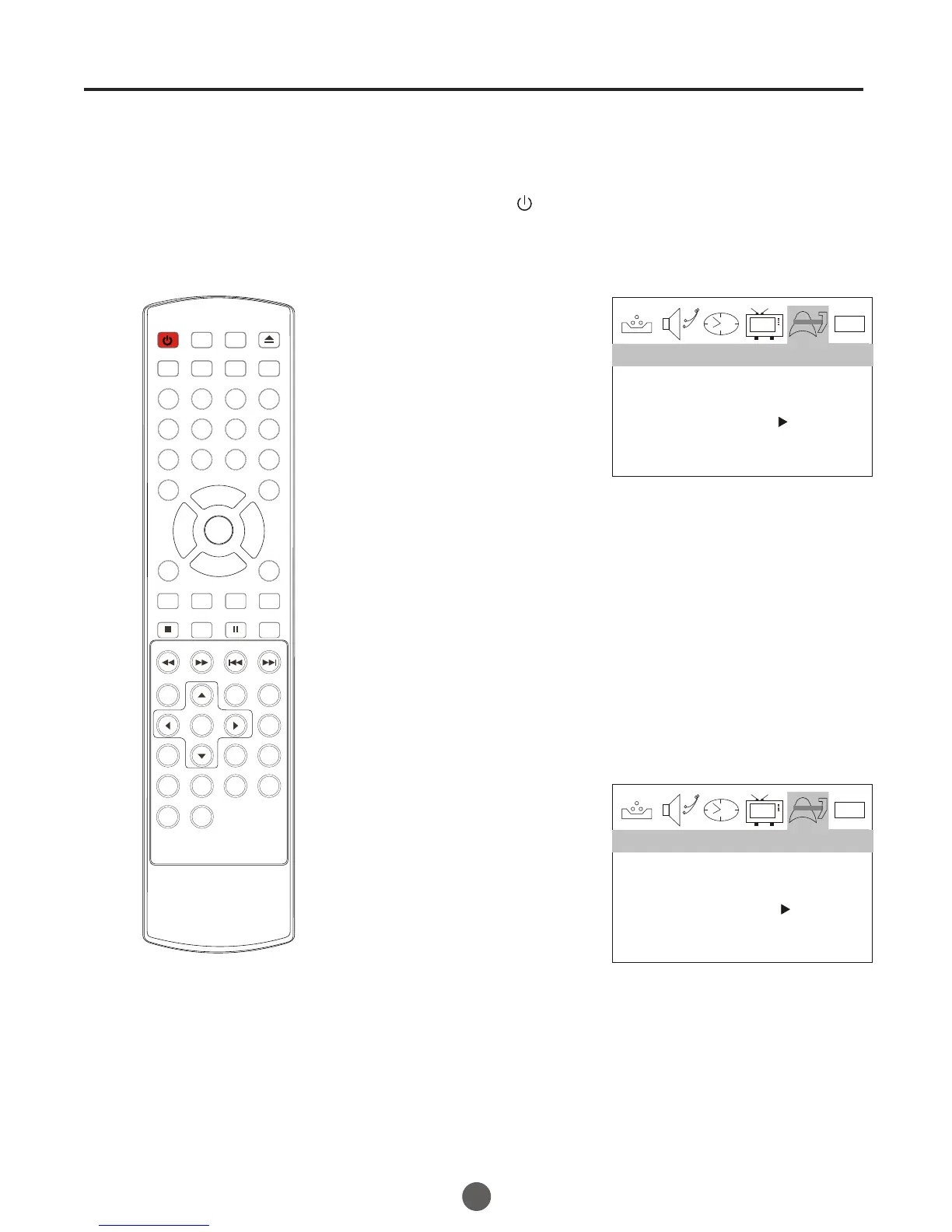
1 Press POWER ( ) to turn on the TV.
2 Press MENU, and then
press VOL+/- button to
select FUNCTION menu,
then press CH- button to
enter.
3 Press CH+/- button to select the LANGUAGE option,
then press VOL+/- to select the desired language:
English, Spanish or French.
4 Press MENU until the MENU screen disappears.
SETTING THE LANGUAGE
0101
LANGUAGE ENGLISH
BLUE SCREEN ON
NTSC CAPTION C1
PARENTAL LOCK
FUNCTION
SETTING THE BLUE SCREEN
1 Press MENU, and then
press VOL+/- button to
select FUNCTION menu,
then press CH- button to
enter.
2 Press CH+/- button to select the BLUE SCREEN option,
then press VOL+/- to select OFF or ON.
3 Press MENU until the MENU screen disappears.
0101
LANGUAGE ENGLISH
BLUE SCREEN ON
NTSC CAPTION C1
PARENTAL LOCK
FUNCTION
12
POWER TV/DVD
OPEN/CLOSE
Q.VIEW INFO
MUTE
1 2 3 4
5 6 7 8
99 00
CC
P.MODE
CH+
CH-
VOL
_
MENU
OK
STOP
SETUP
PAUSE/STEP
REV
FWD .
PREV
NEXT
D.MENU
REPEAT
A-B
PLAY/ENTER
SLOW
ANGLE
TITLE/PBC
SEARCH
AUDIO
CLR
D.CALL
TV/AV
PROGRAM
ZOOM
10+
VOL
+
SUBTITLE
-
TV/DTV
SAP
SLEEP
CH.LIST FA V.LIST SIZ GUIDE



 To Next Page