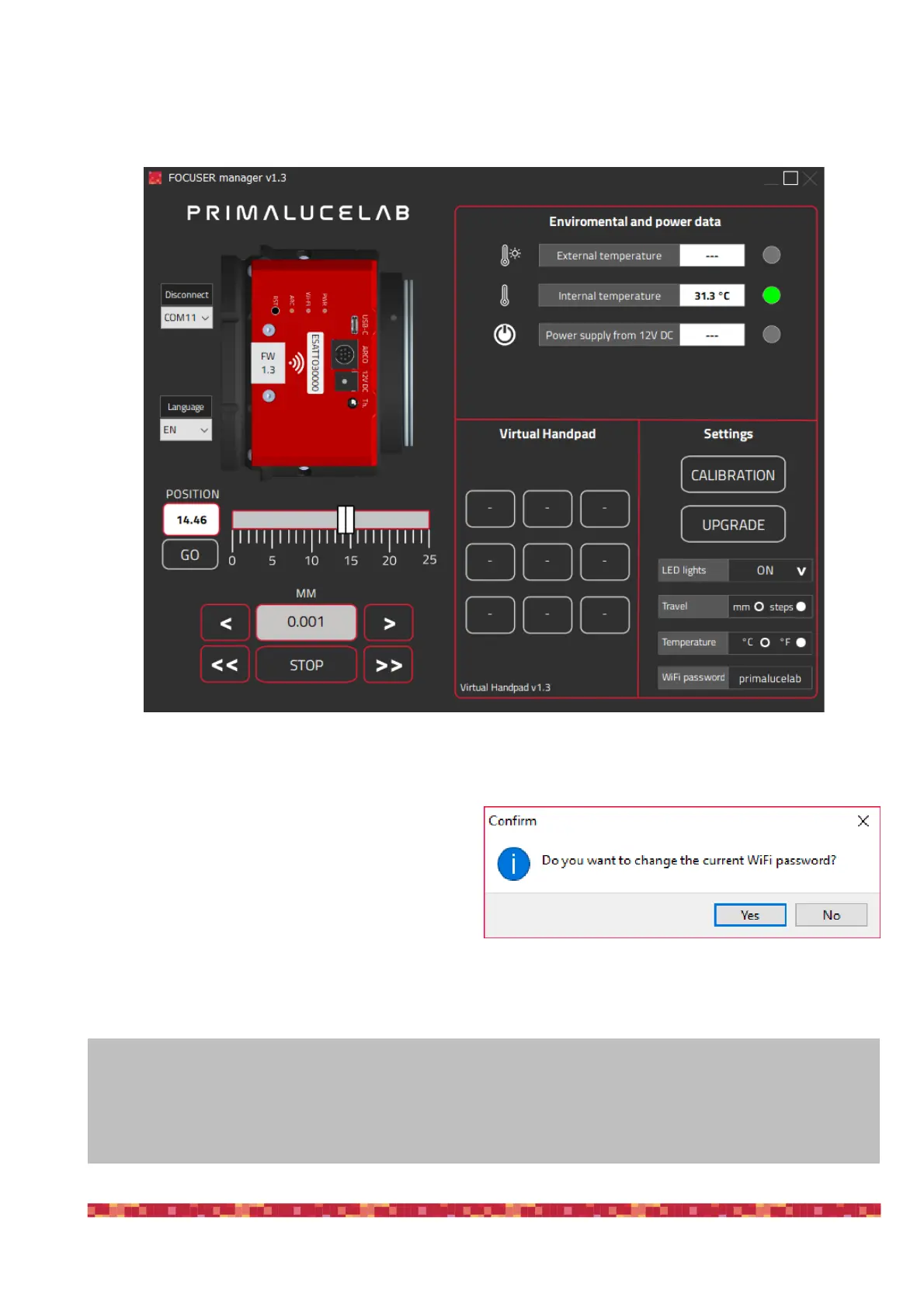
If you change the travel measurement units from steps to mm, you will be able to insert the focuser draw tube tra-
vel directly in millimeters moving the focuser both with the slider and by using the movement buttons.
The third option in the ESATTO settings window allows you to change the unit of measurement of temperature from
°C (Celsius) to °F (Fahrenheit). The last option in the ESATTO settings allows you to change the password to con-
nect to ESATTO with WiFi. The default password is
“primalucelab” and, in order to change it, please make
a mouse left click on the “primalucelab” word, and you
will be able to change it. Press ENTER button of your
keyboard to confirm and you will see a new window
asking you to confirm. Press Yes button to confirm.
ATTENTION
In the event you need to manually reset ESATTO please proceed this way: with the ESATTO not connected to
USB port and without power, press the “RST” reset button (keep it pressed for 10 seconds) and, at the same
time, connect to power. The ESATTO will reboot and it will be reset to factory settings.


 To Next Page