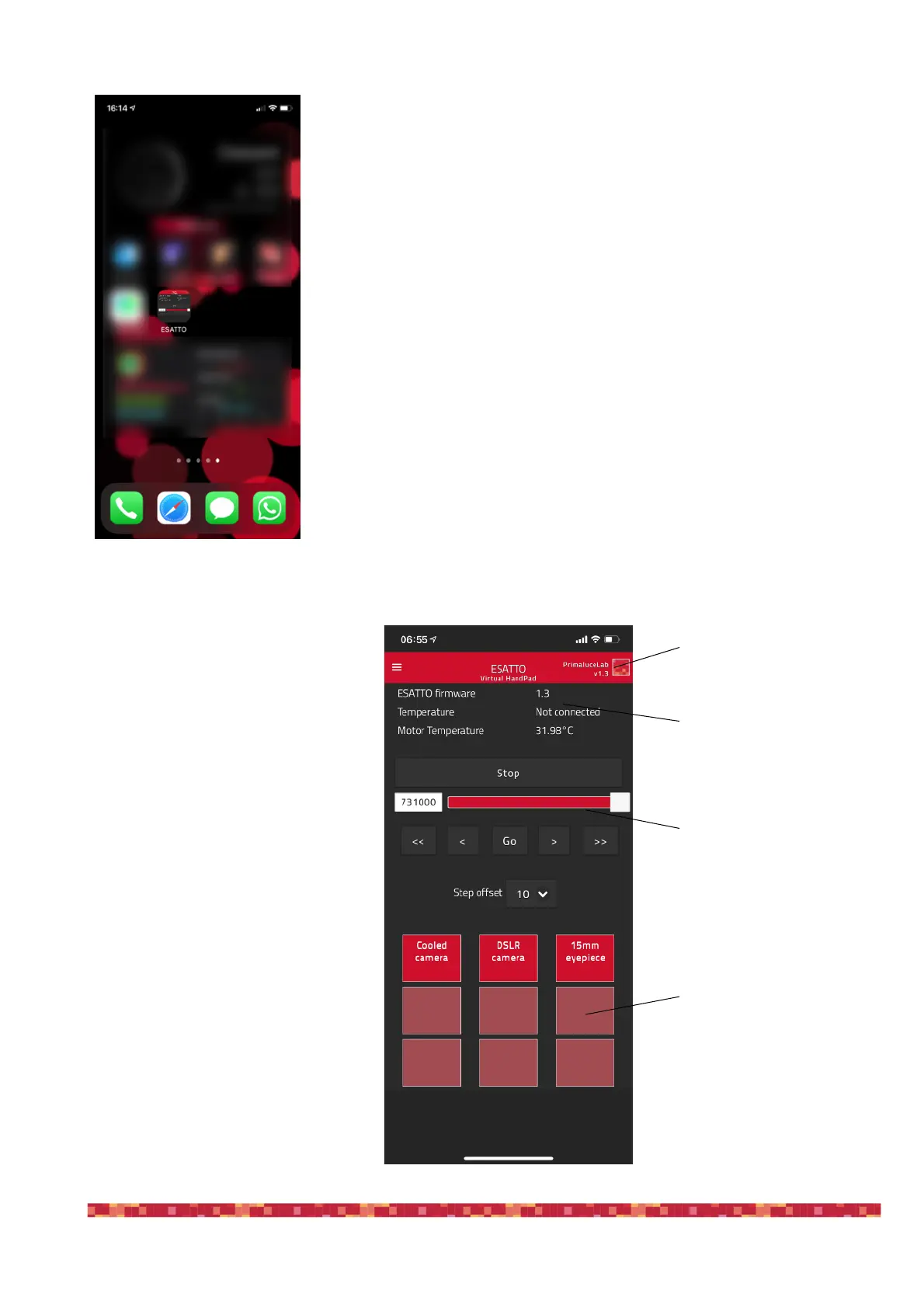
The ESATTO Virtual HandPad allows
you to control and use ESATTO micro
focuser without the need of an EAGLE
or of a computer.
On the top-right of your screen you can
find the ESATTO Virtual HandPad ver-
sion. Then you can read the ESATTO
firmware version, the external tempera-
ture (if you connected the optional tem-
perature sensor) and the internal motor
temperature.
Below you can find the slider and the
button to move the ESATTO, together
with the step selector.
In the lower part you can find the 9 pro-
grammable buttons that allow you to
save up to 9 different focus positions,
name them and easily recall focus posi-
tion with just the push of a button.
The ESATTO connection will be created and you will have a direct and
immediate connection to ESATTO in your device.
Press the ESATTO button to start the ESATTO Virtual HandPad.


 To Next Page