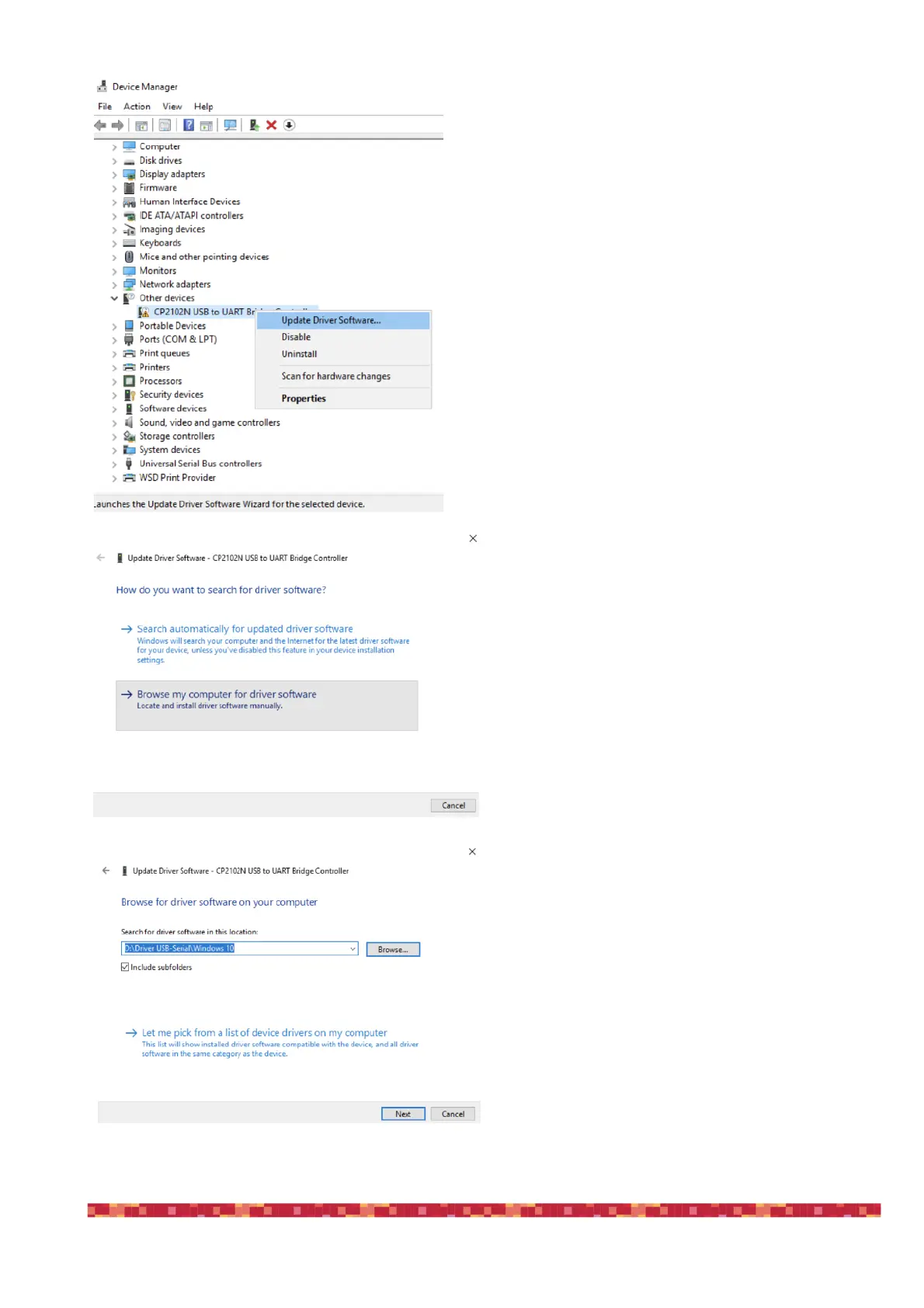
3) Right-click on the device and select "Update Driver
Software”
4) select the second option “Browse my computer for
driver software” in order to specify the location of the
downloaded driver.
5) Select the folder where you saved and expanded
the ESATTO software package you downloaded from
our website, click “Next” and complete the installation
procedure.
www.primalucelab.com/astronomy/downloads
(Please remember to unzip/expand the file you down-
loaded before starting the installation of the ESATTO)


 To Next Page