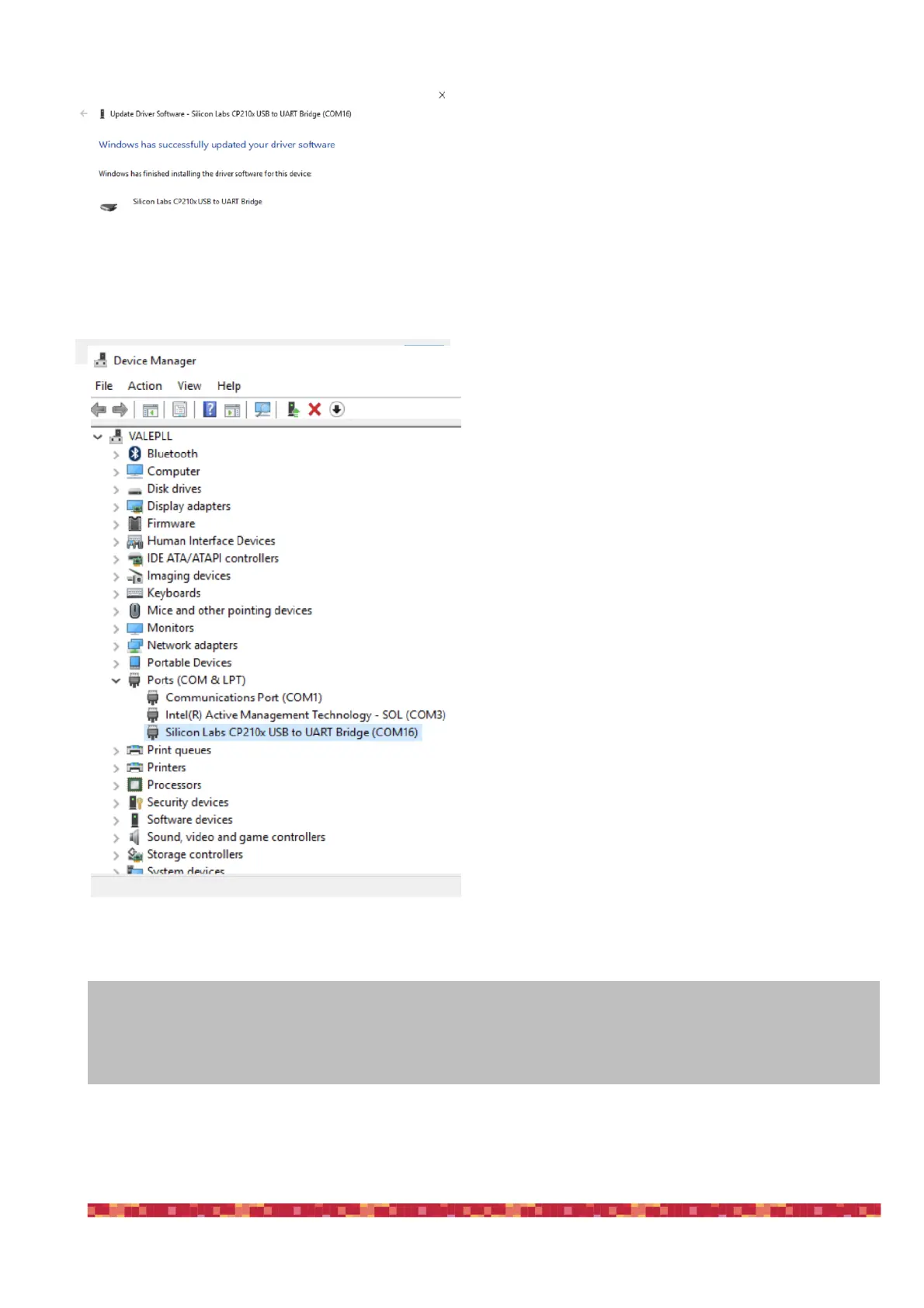
6) at the end of the procedure, a message will appear
indicating successful installation.
Now, under COM and LPT devices, you will see a new
COM port (in this example COM16) which is the one used
by your computer to communicate with ESATTO.
NOTE
If the driver is not correctly installed in your Windows operative system, ESATTO will not be able to connect to
your EAGLE or external computer. Please verify that the COM driver is correctly installed before proceeding to
the next step.


 To Next Page