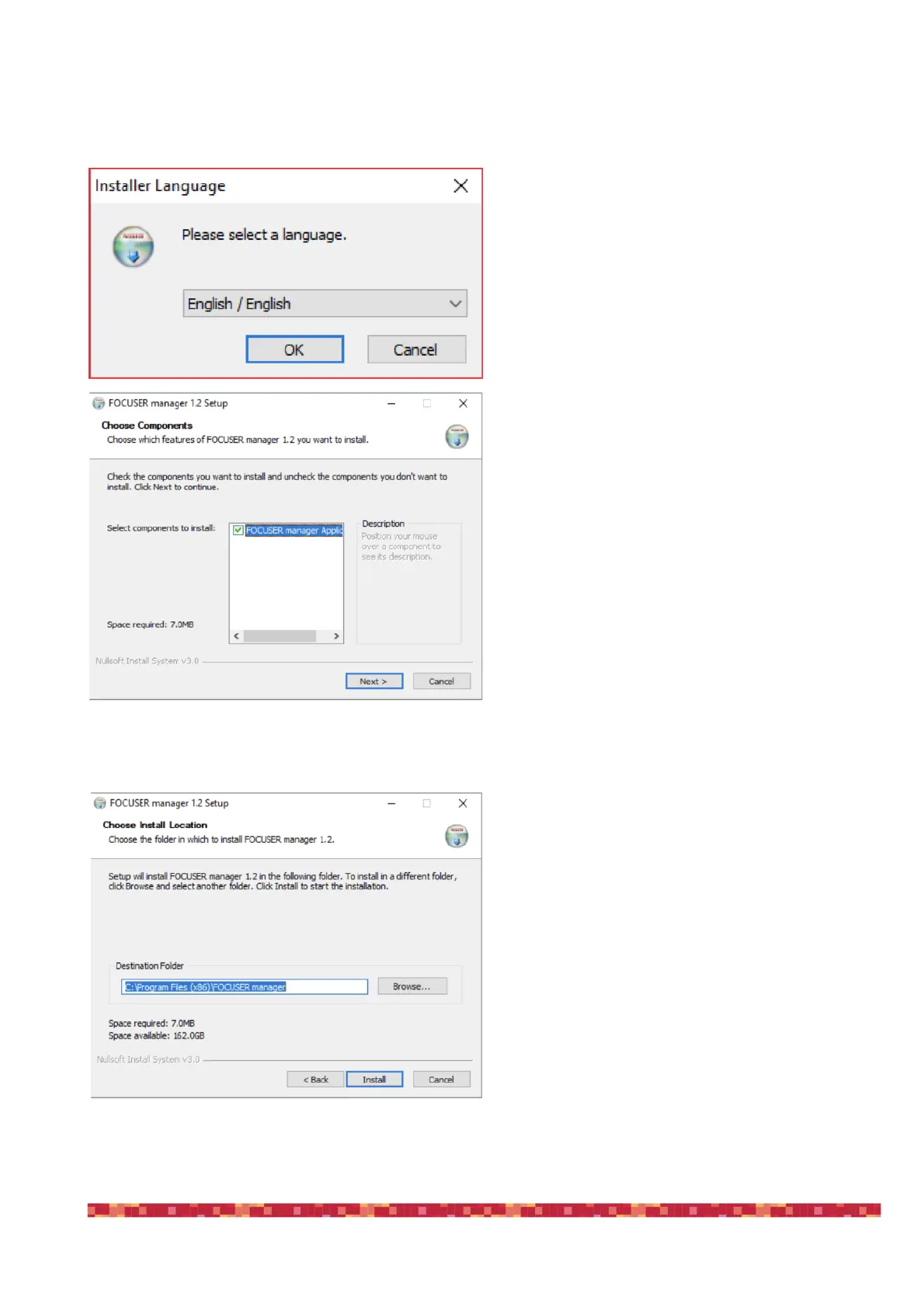
The ESATTO software download from our website provides an application for Windows called “FOCUSER Mana-
ger” that allows you to control the ESATTO and manage all its functions.
Double click on FocuserManager-setup.exe file to start
installation. Click OK to proceed.
Click the Next button to proceed installation.
Select the folder where you want to install FOCUSER
Manager software (if you want to change the default
one, you can click on the Browse button and choose
for a different folder).
Then click on the Install button to start installation.


 To Next Page