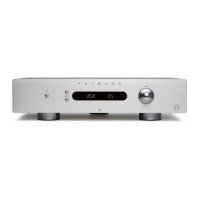
The I22 General Settings menu allows you to configure general aspects of the I22’s operation.
To display the General Settings menu from
the front panel
•
Press and hold down the O button until the
display shows the version number:
V 1 - 0 0
•
Keeping the the O button held down press
the lower SELECTOR button.
The first settings option is shown:
I R F R O N T
•
Release the O button, then change the settings
as described below
To display the General Settings menu from
the remote control
•
Press the MENU button.
The first settings option is shown:
I R F R O N T
•
Change the settings as described below
To step between options
•
Press the SELECTOR buttons, or press the
A or V buttons on the remote control.
To change the value of the current option
•
Rotate the VOLUME control on the front
panel, or press the + or – buttons (or the <
or > buttons) on the remote control.
To exit from the General Settings menu
•
Press the O button on the front panel, or the
MENU button on the remote control.
•
Set the IR option to FRONT to control the
I22 using a remote control pointed at the
front panel, or BACK to control it via the
IR-input on the back panel:
I R F R O N T
After setting it to BACK you can reset it to
FRONT by operating the settings menu from the
front panel controls.
You can customise the start-up volume, set
when you turn the I22 on from standby, and the
maximum volume.
To set the start-up volume
•
Set the DEFAULT setting to the volume you
want to use:
D E F A U L T 2 5
To set the maximum volume
•
Set the MAX setting to the highest volume
you want to allow:
M A X 60
To set input 4 to fixed level
Input 4 can be configured to provide high-quality
amplification of the main channels of a surround-
sound processor, with volume control provided by
the processor.
Note: This will give full-volume output.
•
Configure the IN4 option on the settings
menu to SSP.
I N 4 SS P
To use the I22 DAC board
Can be set to NONE or DAC to specify
whether the I22 DAC board is installed:
M O D N O N E
If set to NONE only IN1 to IN4 will be available.
To reset the I22
•
Set the FACTORY option to Y to reset the
I22 to the factory default settings:
F A C T O R Y Y
Warning: this will reset any source settings and
aliases you have defined.


 To Next Page