Using the CD31
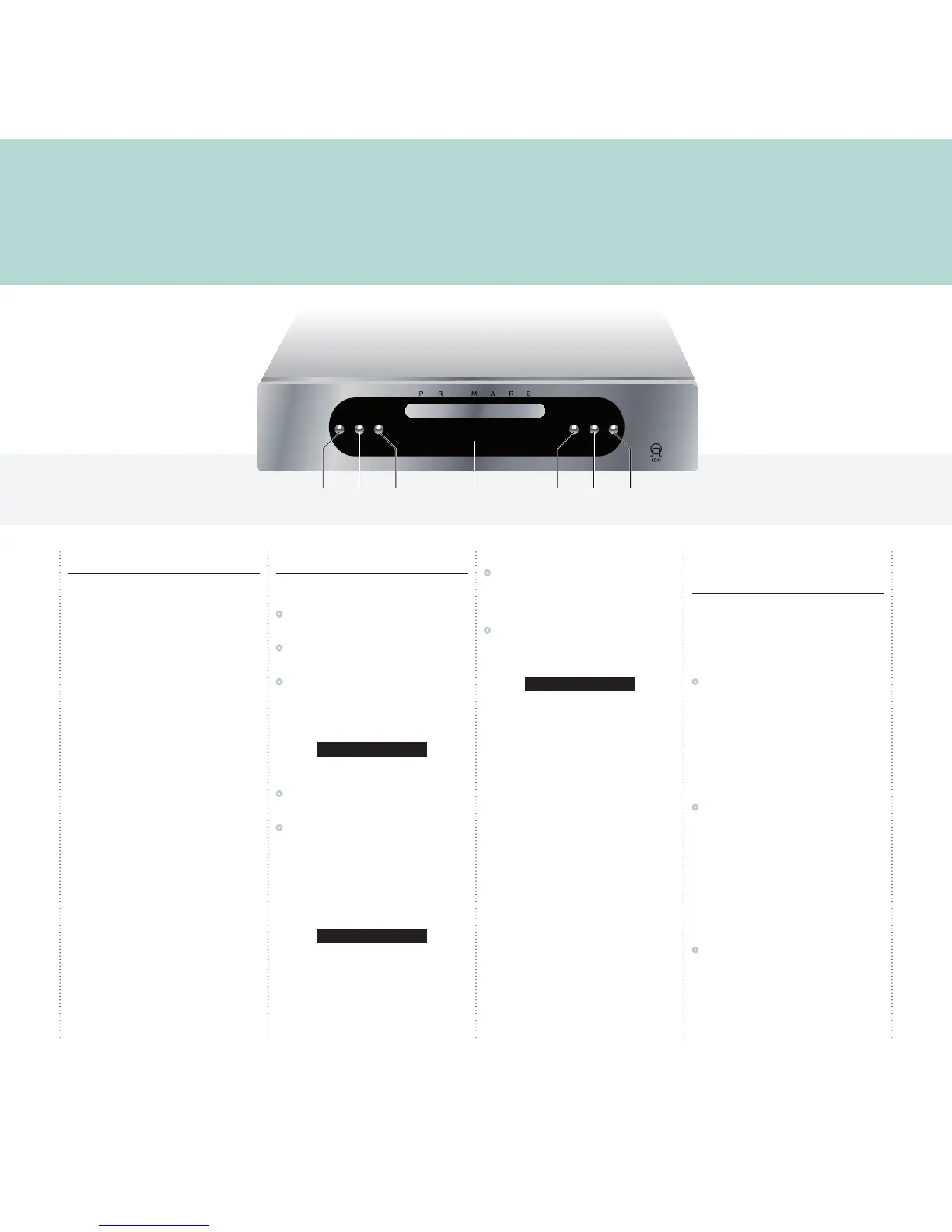
This page explains how to operate your CD31, with an explanation of the function of each of the front panel controls.
Front panel controls
Repeat
Repeats a track, or the entire disc.
Previous [
Restarts the current track, or steps to the previous
track.
Next ]
Steps to the next track.
Open/Close */å
Opens or closes the CD tray, and also stops the
disc.
Play >
Plays or pauses the disc.
Standby O
Switches the CD31 to standby, or switches it on
from standby.
Playing a disc
To insert a disc
•
Hold down the */å button on the front panel,
or on the remote control, to open the tray.
•
Place the CD in the tray with the label facing
upwards.
•
Press the */å button on the front panel or the
remote control to close the tray.
The front panel display shows that a CD is placed
in the tray. The CD31 is now ready to play.
CD
To play a disc
•
Press the > button on the front panel, or the
>/= button on the remote control.
•
Alternatively press one of the buttons 1-9 and,
if required, +10 on the remote control to start
playing a specific track.
For example: To play track 16; press the +10
button followed by the 6 button. To play track 22;
press the +10 button twice, followed by the 2
button.
11 0:04
While a disc is playing the front panel display
shows the current track number and the elapsed
time of the current track.
To stop play
•
Press the */å button on the front panel or the
remote control.
To pause a CD
•
Press the > button on the front panel or the
>/= button on the remote control.
The front panel shows:
PAUSE
You can then resume play by pressing the >
button on the front panel or the >/= button on
the remote control.
Locating a position on the
disc
You can step between tracks to locate a particular
track on the disc, or you can scan forwards or
backwards to locate a position within a track.
To step between tracks
•
Press the [ or ] buttons on the front panel
or the remote control.
The front panel display shows the number of the
track as you step.
When you release the button the current track
starts playing from the beginning.
To scan through the disc
•
Press the ¯ button once to reverse scanning
or the ˘ button once to start forward
scanning. You can use the button on the front
panel or the remote control.
You can increase the scanning by pressing the ¯
button (reverse) or the ˘ button (forward) again.
There are four different scan speeds.
As you scan the disc, the front panel display shows
the current track and the position within the track.
•
Press the > button on the front panel, or the
>/= button on the remote control to start
playing from the position you have located.



 To Next Page