14 Printer Settings
Section 4: Printer Settings
A. PC PRINTER DRIVER SETTINGS
Refer to the following steps to change or verify your default
printer driver preferences.
To Find Driver Settings:
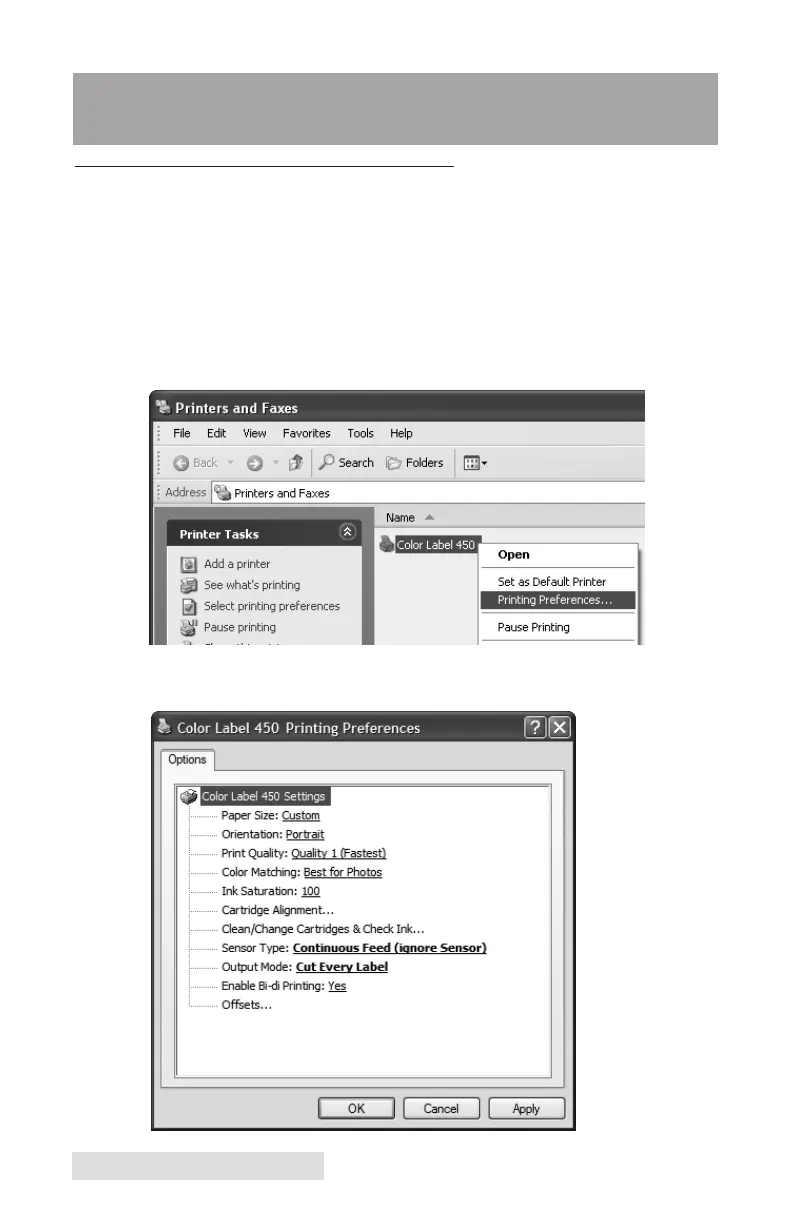
Click the Start button; choose Printers and Faxes. Right-click
on the Color Label 450 icon and select Printing Preferences
from the drop-down menu.
The preferences screen will appear.



 To Next Page