WINDOWS 7/8 instruction guide for your Printrbot printer and computer software
Screen
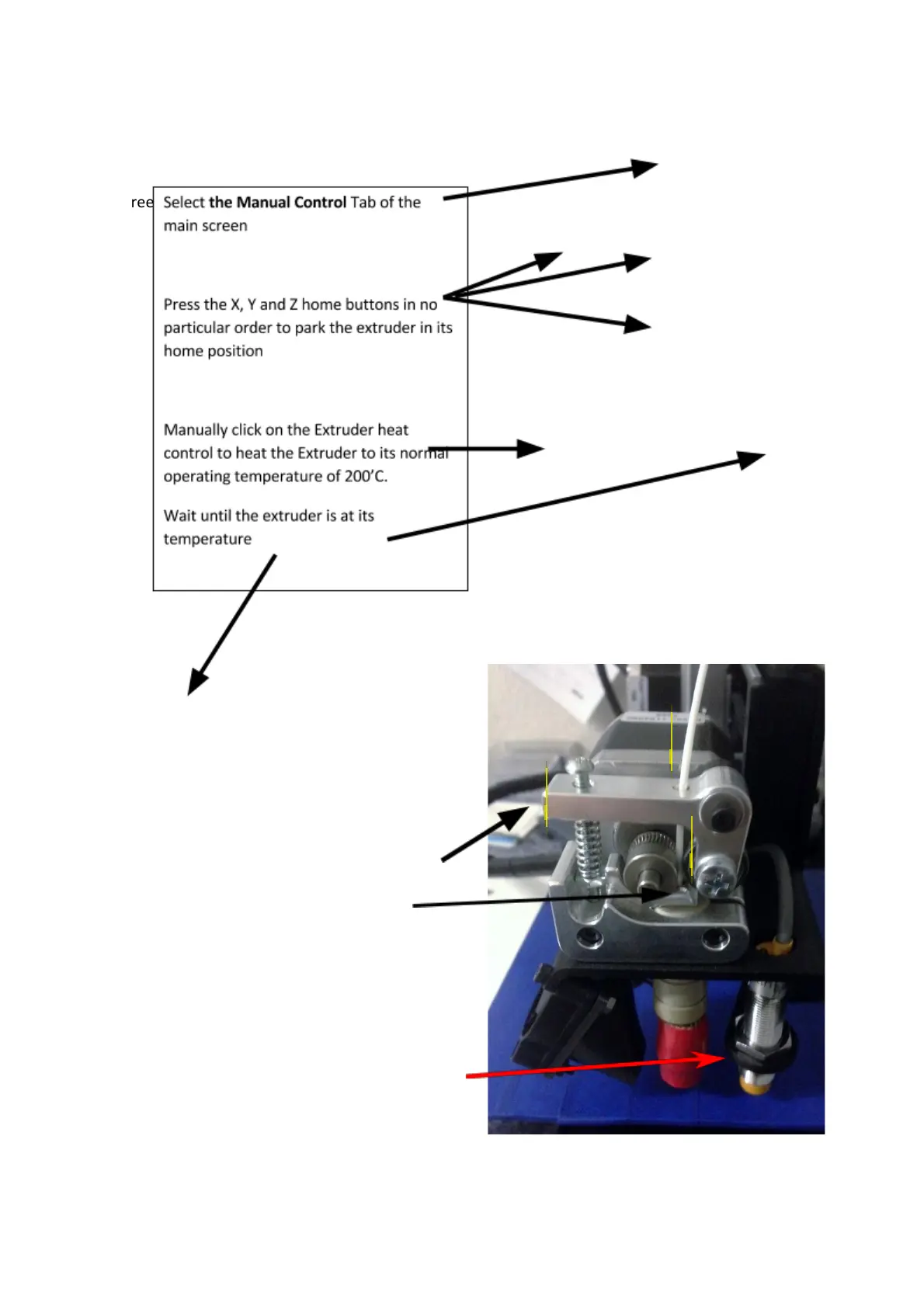
Install the filament into the hot end through
the extrude.
Pinch the Estruder arm down and insert the
filament through the hole at the top and into
the extruder and eventually into the hot end.
If the Extruder temperature is at 200’C, extrude
some filament to confirm extrusion. You may
wipe off the excess (take care – thetip is hot!).
The Printerbot videos on the printrbot site
http://www.printrbot/simple are a good guide.
DO NOT ADJUST THE AUTO LEVEL PROBE
NUTS – these have been set at the factory.
Page 12 of 23



 To Next Page